Search for “attendance software,” and you’ll find hundreds of options, each promising to be the easiest, fastest, and most affordable. The demos all look smooth. The sales calls all sound convincing. And then, three months after buying, many businesses discover that the software can’t handle their alternate Saturdays, doesn’t work at their factory gate when the internet drops, or charges twice as much once a few more employees are added.
Choosing attendance software isn’t hard, but it’s easy to get wrong if you don’t ask the right questions before you pay.
This guide gives you 12 practical questions to ask any attendance software vendor, explains why each one matters for Indian businesses, and shows you how to run a proper trial so you choose software your team will actually use.
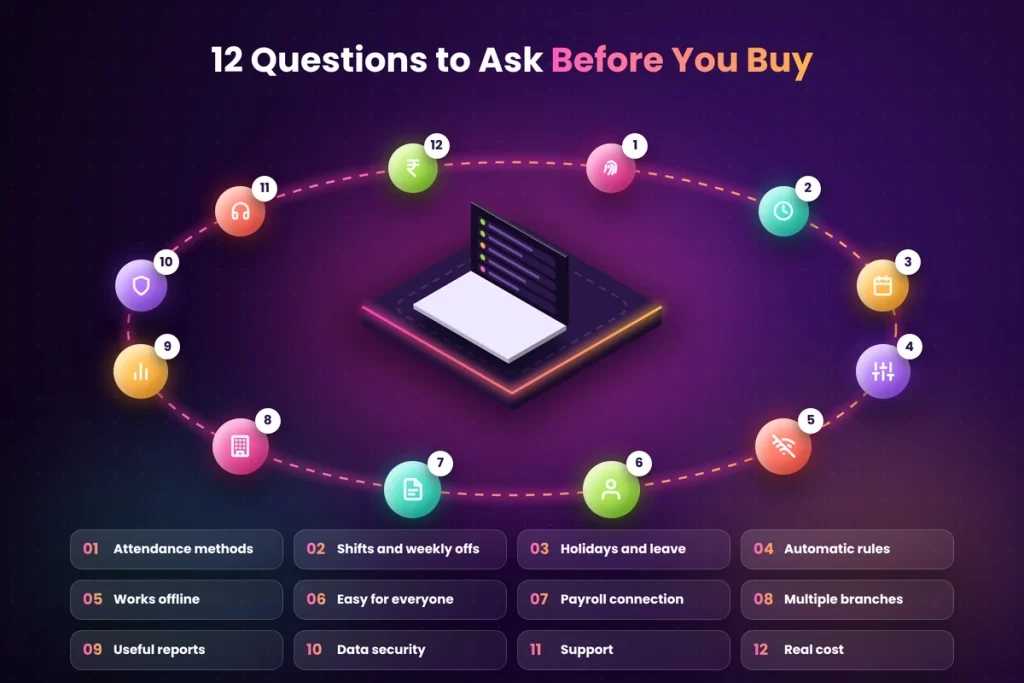
Short answer: Before buying attendance software, check that it supports the attendance methods your team needs, handles your shifts, weekly offs, and state holidays, manages leave, works offline, connects to payroll, is easy for every employee to use, keeps data secure, gives clear reports, offers support in Indian working hours, has transparent pricing as you grow, and lets you export your data anytime. Always test it with a real team for two weeks before committing.
Why Choosing the Right Software Matters
Attendance software touches every employee, every day. If it’s wrong for your business:
- Staff struggle to mark attendance and start avoiding it
- Rules don’t match your policy, so reports are wrong
- HR spends time fixing data instead of saving time
- Salaries go out with errors, leading to disputes
- You pay for features you don’t use, or miss ones you need
- Switching later means repeating the whole setup
The right software, on the other hand, quietly saves hours every month, makes salaries accurate, and removes most attendance arguments. It also gives owners a clear view of the business that a register never could, such as which teams are often late or where overtime keeps rising. For more background on how attendance systems work, explore our attendance management guides.
Before vs. Now: Choosing Attendance Software
Here’s the difference between a rushed choice and a careful one.
| What you look at | Before (rushed choice) | Now (careful choice) |
|---|---|---|
| How you choose | Best-looking demo or lowest price | Clear list of your actual needs |
| Attendance methods | Whatever the vendor offers | Matches how your team really works |
| Shifts and weekly offs | Assumed to be supported | Tested with your real rosters |
| State holidays | Found missing after purchase | Checked before buying |
| Offline working | Discovered when the internet fails | Confirmed during the trial |
| Payroll connection | Manual exports and retyping | Data flows to payroll as needed |
| Employee ease of use | Staff struggle and complain. | Tested with real employees |
| Pricing | Surprise increases as you grow. | Full cost known in advance |
| Support | Slow email replies | Phone or WhatsApp in Indian hours |
| Data ownership | Hard to take your data out | Easy export anytime |
A two-week trial with the right questions saves months of frustration.
Start with Your Own Needs
Before you look at any software, write down a simple list:
- How many employees do you have today and in two years?
- Where do they work? One office, several branches, factories, or the field or from home?
- What shifts do you run? General, rotating, night, or split?
- What’s your weekly off pattern? Sunday only, alternate Saturdays, different offs for different teams?
- Which states are your branches in?
- What leave types do you offer?
- How do you run payroll today? In-house software, Tally, Excel, or an outside accountant?
- What problems are you trying to solve? Proxy attendance, late coming, month-end time, salary disputes?
This list becomes your checklist for every vendor. Share it with them before the demo so they show you how the software handles your situation, not a general sample.
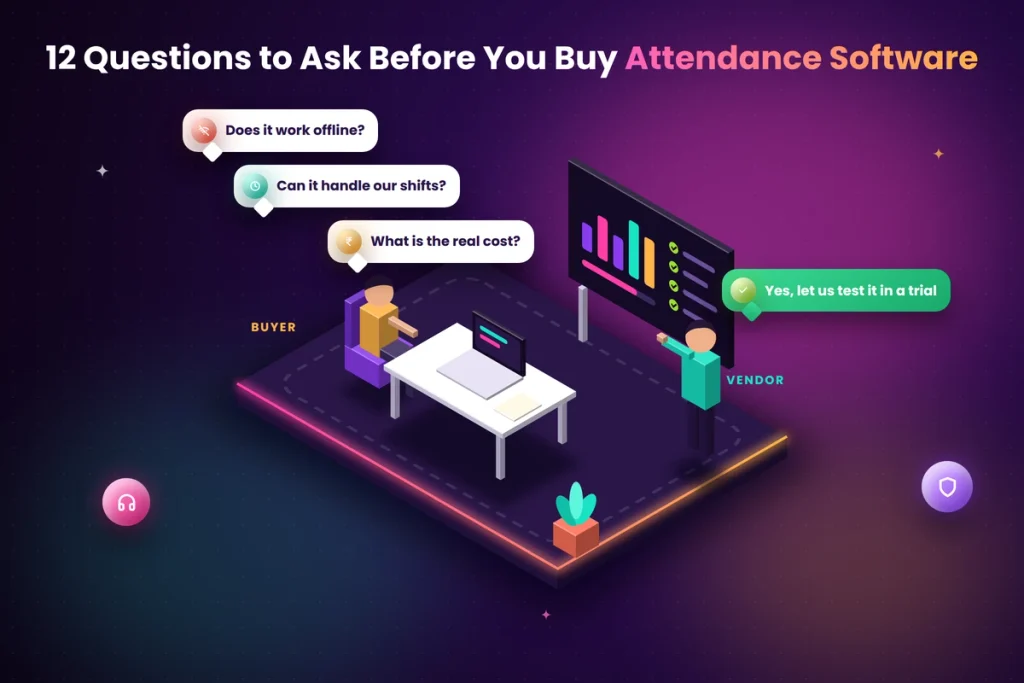
12 Questions to Ask Before You Buy Attendance Software
1. Which Attendance Methods Does It Support?
Your team may need more than one method:
- Biometric fingerprint or face recognition for offices, shops, and factories
- QR code attendance for small teams and multiple small locations
- Mobile app with GPS for field and remote staff
- Web check-in for office and work-from-home employees
Make sure the software supports all the methods you need and that they all feed into one system. If you’re considering QR code attendance, our QR code attendance guides explain how it works and how to prevent misuse.
2. Can It Handle Our Shifts and Weekly Offs?
Indian businesses often have six-day weeks, alternate Saturdays off, rotating shifts and night shifts that cross midnight. Ask the vendor to set up your actual shifts during the demo, not a sample one. Check that a night shift from 10 pm to 6 am is counted as one shift, not two half days.
3. Does It Support Our Holidays and Leave Rules?
Check that you can:
- Add different holiday lists for different states or branches
- Set up all your leave types, with yearly limits and carry-forward rules
- Let employees apply for leave in the app and managers approve it
- Allow half days and short leave
4. Can It Apply Our Attendance Rules Automatically?
The software should apply your grace time, late-mark rules, half-day rules, and overtime rules without anyone doing it by hand. For example, if your policy says three late marks count as one half day, the system should do this on its own.
5. Does It Work Without the Internet?
Many factories, warehouses, and smaller-town branches have patchy internet. Ask whether devices and apps store attendance offline and sync later. Test this during your trial by turning off the internet for a few hours.
6. Is It Easy for Every Employee to Use?
Your newest, least tech-friendly employee should be able to mark attendance without help. Check:
- Is marking attendance a single step?
- Does the mobile app work on basic Android phones?
- Is it available in Hindi or regional languages?
- Can employees see their own attendance and leave balance easily?
7. How Does It Connect to Payroll?
Attendance data should flow into salary calculation with as little retyping as possible. Ask whether the software has built-in payroll, connects to the payroll software you already use, or at least exports clean reports in a format your accountant can use. Our payroll and working hours guides explain why this connection matters so much.
8. Can It Manage Multiple Branches?
If you have more than one location, check that you can set branch-wise shifts, weekly offs, and holidays; give branch managers access only to their own teams; and see all branches together in one dashboard.
9. What Reports Does It Give?
At minimum, you should get:
- Daily attendance summary
- Monthly attendance report
- Late arrival and early exit report
- Overtime report
- Leave report
- Branch or department-wise reports
Reports should be easy to filter and download in Excel or PDF.
10. How Is Our Data Protected?
Attendance software holds personal data, including names, phone numbers, working hours and sometimes fingerprints, photos and location. Under India’s Digital Personal Data Protection (DPDP) Act, 2023, employers must keep this data secure and use it only for employment purposes. Ask:
- Where is the data stored?
- Is biometric data encrypted?
- Who at the vendor can access it?
- Is there a record of every change made to attendance?
- Can you delete data when an employee leaves?
11. What Support Do We Get?
When a device stops working at 9 am, you need help quickly. Ask:
- Is support available during Indian working hours?
- Can you reach them by phone or WhatsApp, not just email?
- Do they help with setup and training?
- How quickly do they usually respond?
12. What Will It Really Cost, Now and Later?
Ask for the full first-year cost in writing, including:
- Monthly or yearly software fees
- Cost per employee as your team grows
- Device costs, if any
- Setup and training charges
- Extra charges for features like payroll or extra branches
- GST
Also ask: can you export all your data if you decide to leave? You should never feel locked in.
How to Run a Proper Trial
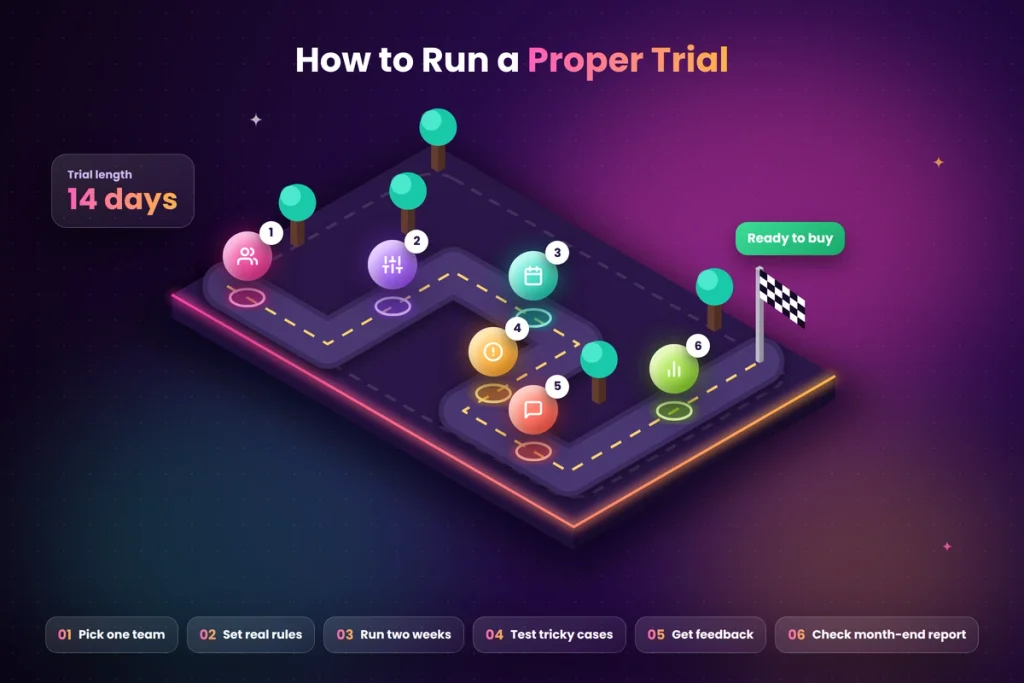
A demo shows you what the software can do. A trial shows you what it does for your business.
Pick one team or branch. Choose a group that represents your business, ideally with shifts or some field staff, so the trial covers your real challenges.
Set up your real rules. Add actual shift timings, weekly offs, holidays, and leave policies.
Run it alongside your current method for two weeks. Compare both records daily.
Test the tricky situations. Night shifts, missed punches, half days, leave approvals, internet outages, and a new joiner mid-month.
Ask employees for feedback. Was it easy? Did anything confuse them? Did anyone avoid using it, and why?
Check the month-end report. Is it accurate and ready to use for payroll?
If the software handles your real situations well during the trial, it’ll likely work well for years. If it struggles with even one important situation, such as night shifts or offline working, take that seriously. Problems in a two-week trial usually become bigger problems once the whole company is using it.
A Simple Way to Compare Two or Three Options
If you’re stuck between a few options, keep the comparison simple.
Write the 12 questions down one side of a page. Next to each, write a short note for each vendor: “Yes, tested,” “Yes, but not tested,” “Partly,” or “No.”
Mark your must-haves. For a factory, offline mode and fast devices may be must-haves. For a retail chain, branch-wise weekly offs may matter most. A vendor that fails a must-have is out, however good the rest looks.
Look at the trial, not the promise. “Yes, tested” during your trial is worth far more than “yes” in a sales call.
Then compare the full first-year cost. Only compare prices between options that meet your must-haves.
Ask two or three people. Have HR, one manager and one regular employee share their view after the trial. The software that all three find easy is usually the right one.
What Your Team Will Ask About New Software
Before rolling out, be ready for the questions employees and managers usually ask:
- “Do I need to download an app, and will it work on my phone?”
- “What happens if I forget to mark attendance?”
- “Can I see my own attendance and leave balance?”
- “Is my location being tracked all day?”
- “Who can see my data?”
- “What if the machine doesn’t read my fingerprint?”
Ask the vendor these same questions during the trial. If you can answer them clearly for your team, the rollout will go much more smoothly.
Red Flags to Watch Out For
- The vendor can’t set up your actual shifts during the demo.
- No offline mode for devices or apps.
- Pricing isn’t clear, or jumps sharply after a certain number of employees.
- No free trial, or a trial without your real data.
- No phone or WhatsApp support during Indian working hours.
- Hard to export your data, or no clear answer about it.
- No record of changes made to attendance entries.
- Promises that sound too good, like “zero setup” for a complex shift operation.
Choosing Software by Business Size
Very small teams (up to 10 people). Look for simple, low-cost software, often with QR code or mobile app attendance. Free plans can be enough to start.
Small businesses (10 to 50 people). Focus on ease of use, leave management, clear reports and a payroll-friendly export. A biometric device or QR code at the entrance works well.
Growing businesses (50 to 200 people). Look for strong shift management, multi-branch support, automatic rules and payroll connection.
Larger businesses (200+ people). Add role-based access, detailed reports, multiple device types, contract worker management and strong data security.
Common Mistakes When Choosing Attendance Software
- Choosing on price alone. The cheapest option often costs more in wasted time and errors.
- Buying the device before the software. Make sure the device works with the software you want.
- Skipping the trial. Demos hide problems that real use reveals.
- Not involving HR and managers. They’ll use it every day, so their input matters.
- Ignoring future growth. Choose software that can handle more people, branches and shifts.
- Forgetting employees. If marking attendance is annoying, people will find ways around it.
Final Thoughts
Choosing attendance software is a decision you’ll live with every working day, so it’s worth a little time upfront. Start with a clear list of your own needs, ask every vendor the 12 questions in this guide, watch out for red flags and always run a real trial with your actual shifts, holidays and employees.
The best attendance software isn’t the one with the most features or the flashiest demo. It’s the one that fits how your business actually works, that your employees find easy, and that turns month-end from a headache into a few minutes of work.
See How Attendi Fits Your Business
Attendi is a simple attendance management system built for Indian businesses. It supports biometric and QR code attendance, handles shifts, weekly offs and holidays, manages leave and tracks working hours for payroll, with clear reports in one place. Ask us your 12 questions and see how Attendi handles your real attendance rules. Explore more guides on our website or get in touch through our contact page.
Frequently Asked Questions
What should I look for in attendance software?
Check attendance methods, shift and weekly off support, leave and holiday management, automatic rules, offline mode, ease of use, payroll connection, multi-branch support, reports, data security, support and transparent pricing.
How much does attendance software cost in India?
Costs vary widely. Many cloud systems charge a small monthly fee per employee or a fixed plan for a set number of employees, and some offer free plans for very small teams. Devices, setup and GST may be extra.
Is cloud attendance software safe?
It can be, if the vendor stores data securely, encrypts sensitive information, limits access and keeps records of changes. Ask these questions before you buy.
Should I buy a biometric device first or choose software first?
Choose the software first, then pick a device that works with it. Buying a device first can limit your software options.
How long should an attendance software trial be?
Two weeks is usually enough to test real shifts, leave, missed punches, offline working and the month-end report.
What’s the difference between attendance software and HR software?
Attendance software focuses on recording attendance, shifts, leave and working hours. Full HR software may also include recruitment, performance reviews and employee records. Many small businesses start with attendance software and add other tools later.
Can I switch attendance software later?
Yes, if your current software lets you export all your data. That’s why data export is one of the most important questions to ask before you buy.
Can small businesses use attendance software?
Yes. Many attendance tools are designed for small teams, with low prices and simple methods like QR code or mobile app attendance.