Every business starts with a register. A notebook on the front desk, a pen tied to it with a string, and a column for name, time in, and time out. For a team of five, it works fine.
Then the team grows to 15, then 30. A second shift starts. Someone opens a branch across town. Suddenly the register is full of crossed-out times, missing signatures, and names written in the same handwriting. Month-end turns into a two-day exercise of counting, checking and arguing.
At some point, every growing business asks the same question: should we keep doing attendance by hand, or is it time to automate it?
This guide compares manual and automated attendance side by side, so you can decide which one fits your business today and when it makes sense to switch.
The quick answer: Manual attendance uses paper registers or Excel sheets filled in by people. Automated attendance uses biometric devices, QR codes, or mobile apps that record time on their own and apply your rules for late marks, leave, and overtime. Manuals work for very small teams with simple schedules. Once you have more than 10 to 15 people, shifts, multiple locations, or regular salary disputes, automated attendance saves time and money and is far more accurate.
What Is Manual Attendance?
Manual attendance means people record attendance by hand. The most common forms are:
- Paper register: employees sign in and out with the time.
- Excel or Google Sheet: a supervisor or HR person fills in who came and who didn’t.
- Punch cards: older machines that stamp time on a card, which someone then reads and counts.
- WhatsApp messages: employees post “reached” or “logged in” on a group chat.
In every case, a person has to collect the information, check it, and count it at month’s end.
What Is Automated Attendance?
Automated attendance means a system records attendance and does the counting for you. Employees mark attendance through:
- A fingerprint or face recognition device
- A QR code scanned with their phone
- A mobile app with location check-in
- An ID card tapped on a reader
- A web portal for office or remote staff
The system saves the exact time, checks it against each person’s shift, marks late arrivals, adds approved leave and holidays, and creates reports that can go straight to payroll. You can explore the different ways businesses set this up in our attendance management guides.
Before vs Now: Manual vs Automated Attendance
Here’s how the two compare on the things that matter most to a business owner.
| What you look at | Manual (register or Excel) | Automated (device or app) |
|---|---|---|
| How attendance is marked | Signature or a typed entry | Fingerprint, face, QR code, or app tap |
| Accuracy of time | Often rounded, guessed, or changed | Exact time saved automatically |
| Proxy attendance | Easy, a friend can sign for you. | Very hard to fake |
| Late marks | Checked by hand, if at all | Marked automatically with grace time |
| Leave tracking | Paper slips and chat messages | Applied and approved in the app |
| Month-end effort | Two to three days of counting | A report in a few minutes |
| Salary disputes | Common and hard to settle | Rare records answer the question. |
| Multiple branches | Each branch keeps its own register. | All branches on one dashboard |
| Remote and field staff | Almost impossible to track | Tracked through the mobile app |
| Records for audits | Registers get lost or damaged. | Stored safely, ready anytime |
| Upfront cost | Almost zero | Small monthly fee, sometimes a device |
| Hidden cost | Staff time, errors, and overpayment | Very little once set up |
The table makes one thing clear: manual attendance looks free, but it isn’t. The cost is just hidden in staff time and salary mistakes.
The Real Cost of Manual Attendance

Most owners stick with a register because it seems cheaper. Here’s where the hidden costs come from.
Time Spent Every Month
Someone has to read the register, count each person’s days, match leave forms, and enter everything into payroll. For a team of 30, this easily takes one to three full working days every month.
Paying for Time Not Worked
When times are written by hand, a 9:45 arrival often becomes 9:30. A colleague signs for someone who reached at 11. Over a year, these small gaps add up to real money.
Mistakes in Salaries
Sundays are marked as absent, leave is forgotten, and half days are counted as full days. Every error either costs the business money or upsets an employee.
Arguments and Lost Trust
When an employee questions a deduction and there’s no reliable record, it becomes one person’s word against another’s. These disputes hurt morale more than most owners realize.
Weak Records for Inspections
India’s labor codes, in force since 21 November 2025, require employers to keep proper records of attendance, working hours, overtime, and wages. A torn register isn’t much help during an inspection.
When Manual Attendance Still Works
To be fair, manual attendance isn’t always wrong. It can work when:
- You have fewer than 8 to 10 people
- Everyone works in one location
- There is one fixed shift with little overtime
- The owner personally knows when everyone comes and goes
- Salary disputes almost never happen
If this describes your business, a well-kept register or a simple Excel sheet may be enough for now. Just make sure entries are made daily, not filled in at month-end from memory.
Signs It’s Time to Automate
Most businesses reach a point where manual attendance starts holding them back. Watch for these signs:
- Month-end attendance work takes more than a day
- Employees often question their salary deductions
- You suspect people sign in for each other
- You’ve started a second shift or night shift
- You’ve opened another branch, site, or office
- Some staff work from home or in the field
- Leave requests arrive on WhatsApp, calls, and paper
- You can’t quickly answer, “How many days did this person work?”
If three or more of these sound familiar, automated attendance will almost certainly save you time and money.
Types of Automated Attendance: Which Fits You?
Automated attendance isn’t one single product. Choose the method that matches how your people work.
Fingerprint Biometric
A wall-mounted scanner reads fingerprints. It’s affordable and hard to fake.
Good for: shops, offices, and small factories where everyone comes to one place.
Face Recognition
A device recognizes faces. It’s touch-free and fast, even with long queues.
Good for: factories, hospitals, and busy entry points.
QR Code
A QR code at the workplace is scanned with a phone. No machine needed.
Good for: small teams, multiple small branches, and temporary sites.
Mobile App with GPS
Employees check in on their phone, and location confirms where they are.
Good for: field sales, delivery staff, technicians, and remote workers.
Many businesses use a mix, such as a biometric device at the office and a mobile app for field staff, all feeding into one system.
What Changes After You Automate
Here’s what most businesses notice in the first two or three months after switching.
Month-end becomes quick. Reports that took days are ready in minutes. HR can spend that time on hiring, training, and people issues instead of counting.
Punctuality improves on its own. When people know arrival times are recorded exactly, late arrivals usually drop without anyone saying a word.
Salary questions drop. When an employee asks about a deduction, the answer is right there in the record.
Leave becomes organized. Everyone applies in one place, balances update automatically, and managers approve requests quickly. Our guides on leave and holiday management explain how to set this up well.
Payroll gets faster and more accurate. Attendance data flows straight into salary calculation, with no retyping. Read more in our payroll and working hours guides.
Manual or Automated? A Quick Guide by Business Type
Every business is different, so here’s a simple way to think about it.
A small shop with 5 to 8 staff, one shift. A neat register or Excel sheet can work, as long as it’s filled in daily. If arguments about timings start, a low-cost QR code system is an easy next step.
A clinic or salon with 10 to 20 staff and rotating shifts. Manual tracking gets messy fast once shifts change through the week. A fingerprint or face device at the entrance makes shift-wise attendance simple.
A factory with 50 or more workers. Manual attendance is risky here. Queues at shift change, overtime and contract workers make a face recognition system the practical choice.
An office with hybrid or remote staff. A register can’t track people who aren’t there. A mobile or web check-in, combined with a device at the office, keeps everyone in one system.
A business with field sales or service staff. Manual tracking depends entirely on trust. A mobile app with location check-in gives you real start and end times without micromanaging.
A company with several branches. Separate registers at each location mean separate problems at month end. An automated system brings every branch onto one dashboard.
An Example: What Switching Looks Like
Consider a typical wholesale trading business with 25 staff in two shifts. Before switching, the accountant spent the last three days of every month going through two registers, a leave notebook, and a stack of WhatsApp messages. Two or three salary complaints came up every month, and the owner often had no clear answer.
After moving to a fingerprint device at the entrance with simple attendance software, three things changed within the first month. The accountant’s month-end attendance work dropped from three days to under an hour. Late arrivals fell noticeably, simply because everyone knew times were now recorded exactly. And when an employee questioned a deduction, the owner could show the exact punch times in seconds.
Nothing about the business itself changed. Only the way attendance was recorded did.
How to Switch from Manual to Automated Attendance
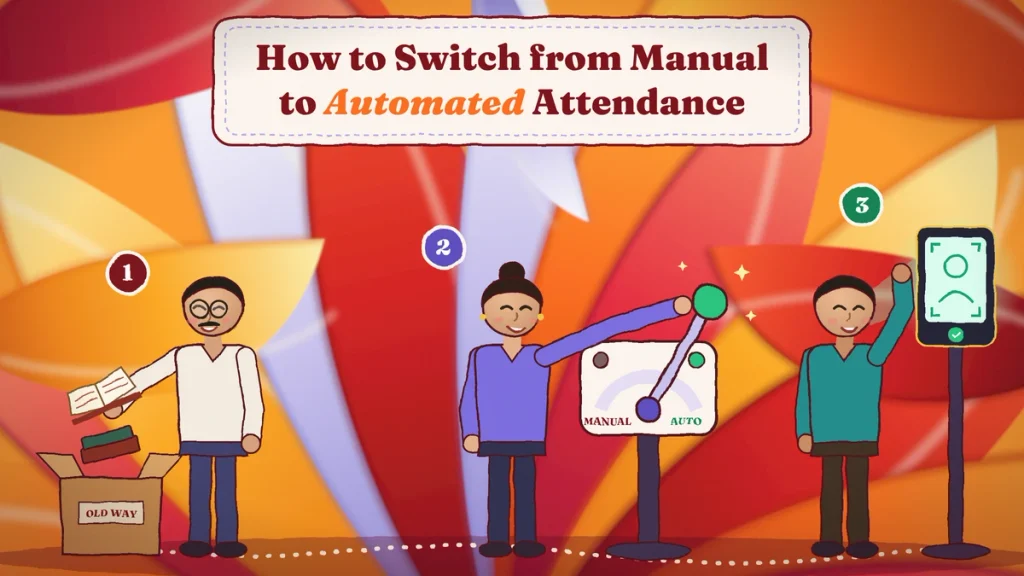
Moving away from a register is simpler than it sounds. Here’s a practical plan.
Step 1: Write Down Your Rules
Shift timings, grace time, half-day rules, weekly offs, the holiday list and leave types. Do this first, because the system will follow these rules exactly.
Step 2: Choose Your Method
Pick biometric, QR code, mobile app or a mix, based on where your people work.
Step 3: Choose Your Software
Look for software that covers attendance, leave, holidays and reports in one place, and ideally connects to payroll. Ask for a free trial.
Step 4: Add Employees and Settings
Upload your employee list, set up shifts and holidays, and register fingerprints or faces if you’re using a device.
Step 5: Explain the Change
Tell your team why you’re switching. Keep the message simple: accurate attendance means fair, correct salaries for everyone.
Step 6: Run Both for One or Two Weeks
Keep the register for a short trial and compare both records. Fix any small issues.
Step 7: Stop the Register
Pick a fixed date and stop using the register for good. Check the first month’s report carefully, then let the system take over.
Common Worries About Automating
“It’s too expensive for a small business.”
QR code and mobile app systems need no special hardware, and many charge a small monthly fee per employee. For most businesses, the time saved at month end alone covers the cost.
“My staff won’t know how to use it.”
Placing a finger on a scanner or tapping a button on a phone needs no training. Most teams get comfortable within a day or two.
“What if the internet goes down?”
Good systems store attendance offline and send it later. Ask about offline mode before you buy.
“Isn’t collecting fingerprints risky?”
Biometric data must be handled carefully. Under India’s Digital Personal Data Protection (DPDP) Act, 2023, employers can use employee data for employment purposes but must keep it secure, use it only for that purpose and delete it when no longer needed. If you’d rather avoid biometrics, QR code and app-based systems are good alternatives. This is general information, not legal advice.
Mistakes to Avoid When Making the Switch
- Buying a device before deciding your rules. The machine records time, but your rules decide what it means.
- Choosing a method that doesn’t fit your team. A fingerprint scanner won’t help field staff.
- Skipping the trial period. A short side-by-side run catches problems early.
- Keeping the register “just in case” for months. Two systems means nobody trusts either.
- Not explaining the change. People accept new systems faster when they understand why.
Final Thoughts
Manual attendance feels simple and free, and for a very small team it can be enough. But as soon as your business grows, adds shifts or opens new locations, the register starts costing you more than it saves, in staff time, salary errors and lost trust.
Automated attendance replaces guesswork with exact records, turns month-end into a few minutes of work and gives everyone confidence in the numbers. You don’t need to be a big company to make the switch. Start with clear rules, pick the method that suits your team, run a short trial and let the system do the counting from there.
Move from Registers to Automated Attendance with Attendi

Attendi is a simple attendance management system built for Indian businesses. It supports biometric and QR code attendance, manages leave and holidays, tracks working hours for payroll and gives you clear reports in one place. If your register is starting to cause more problems than it solves, Attendi makes the switch to automated attendance easy. Explore more guides on our website or get in touch through our contact page.
Frequently Asked Questions
What is the difference between manual and automated attendance?
Manual attendance is recorded by hand in a register or spreadsheet. Automated attendance is recorded by a device or app, which saves the exact time and applies company rules for late marks, leave and overtime on its own.
Can I use Excel instead of attendance software?
Yes, for a small team with one shift. Excel is better than a paper register, but someone still has to enter data by hand every day. As your team grows, attendance software saves far more time.
Is manual attendance still allowed in India?
Yes. The law requires accurate records of attendance, working hours, overtime and wages, but it doesn’t require any specific method. However, manual records are harder to keep accurate and complete.
When should a business switch to automated attendance?
Usually when the team crosses 10 to 15 people, when shifts or multiple locations are added, when month-end work takes more than a day, or when salary disputes become common.
Which automated attendance method is cheapest?
QR code and mobile app attendance are usually the cheapest, because they need no special hardware. Biometric devices involve a one-time device cost.
Does automated attendance stop proxy attendance completely?
It makes proxy attendance very hard. Biometric and face systems check the real person, and QR or app systems can use location and selfie checks. No system is perfect, but it’s far more reliable than a signature in a register.
How long does it take to switch to automated attendance?
Most small and mid-sized businesses can switch within a week or two, including a short trial period alongside the old register.