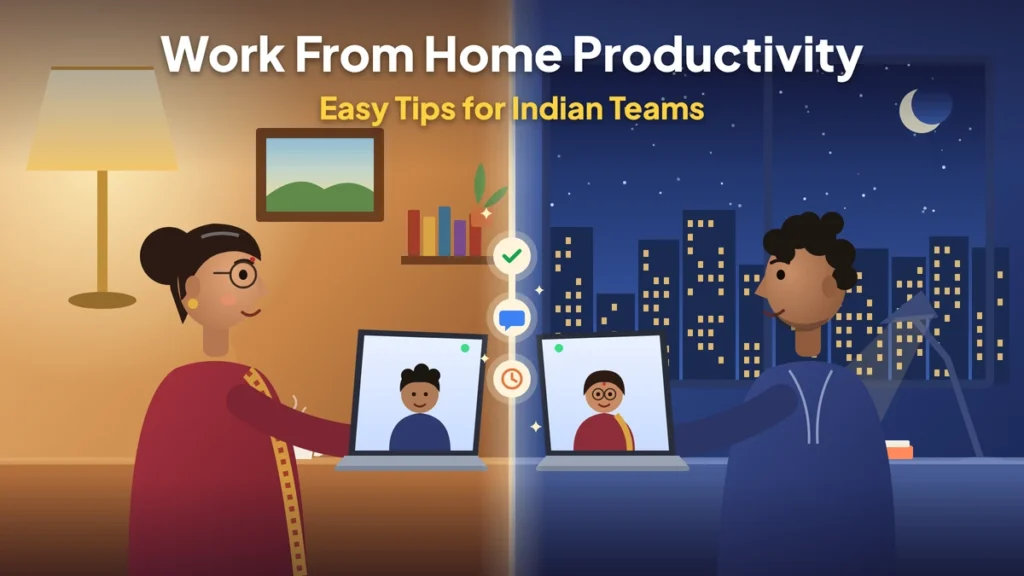
Work from home productivity sounds simple until the day actually begins. The internet slows down during an important call, the power goes off in the afternoon, a pressure cooker whistles in the background, and the laptop on the dining table has to make room for lunch. Working from home in India comes with its own set of challenges, and good intentions alone do not solve them.
The good news is that a few easy habits make a big difference, both for employees working from home and for managers leading remote teams. This guide covers practical tips for each, the common mistakes to avoid, and how teams can stay connected without endless calls. If your team works in a mix of office, remote, and field roles, our team productivity guide covers all of them together.
What Is Work From Home Productivity?
Work from home productivity is how much useful work an employee completes while working away from the office, compared to what was planned. It is not about being online all day or replying to messages within seconds. It is about finishing the right tasks, on time, with good quality.
At home, productivity depends on things the office usually takes care of: a quiet place to sit, steady electricity and internet, clear working hours, and easy access to colleagues. When these are missing, even skilled employees struggle. When they are in place, many people find they can focus better at home than in a busy office.
Common Work From Home Challenges in India
Most Indian homes were not designed as offices. Many employees share space with family members, so finding a quiet corner for calls is hard. Power cuts and unstable internet are common in many areas, especially during the monsoon or summer peak. Noise from traffic, construction, vendors, or household work can break concentration.
There are also less visible challenges. Without a commute, the line between work time and personal time blurs, so people either start late or keep working till late at night. Some employees feel isolated or unsure whether their work is noticed. Managers, on the other hand, worry about whether work is getting done. The tips below address these challenges one by one.
Easy Work From Home Tips for Employees
Set a Fixed Daily Routine
A fixed routine is the base of work from home productivity. Start and end work at the same time every day, just as you would in the office. Get ready as if you were going out, even if that only means changing into fresh clothes, because it signals to your mind that work has begun.
A routine also helps your family. When they know your working hours, it becomes easier for them to plan around you.
Create a Dedicated Workspace
You do not need a separate room, but you do need a fixed spot that is used mainly for work. A small table in a quiet corner, a comfortable chair, and good lighting are enough. Avoid working from the bed or sofa for long hours, as it affects both posture and focus.
Keep your workspace tidy, and keep everything you need, such as a charger, notebook, and earphones, within reach. Fewer trips around the house mean fewer distractions.
Prepare for Power Cuts and Internet Issues
Power and internet problems are among the most common reasons work stops at home. A few simple preparations help. Keep your laptop charged during the day, and if outages are frequent in your area, consider a small inverter or UPS for your router and laptop. Keep mobile data as a backup hotspot for important calls.
If a problem does happen, inform your team quickly instead of going silent. A short message saying you are offline for half an hour keeps trust intact.
Plan Your Day Around Three Priorities
Start each morning by writing down the three most important tasks for the day. Do the hardest one first, when your energy is highest. Smaller tasks such as checking emails and messages can be grouped into fixed slots, for example, once in the late morning and once in the afternoon.
This simple habit keeps you focused on results instead of reacting to every notification.
Handle Family Interruptions Politely
Living with family is one of the joys of working from home, but interruptions can break focus. Have an honest conversation about your working hours and your most important call times. A simple signal, such as a closed door or earphones on, can show when you should not be disturbed.
Be flexible too. Plan short breaks when you can help at home so that both work and family needs are met without stress.
Take Breaks and Log Off on Time
Working from home often leads to working longer, not smarter. Take short breaks every hour or two to stretch, drink water, and rest your eyes. Step away from the screen for lunch.
Most importantly, log off at a fixed time. Shut the laptop, put work notifications on silent, and give yourself a clear end to the day. Rest is what keeps work from home productivity steady over weeks and months.
Easy Work From Home Tips for Managers and Teams
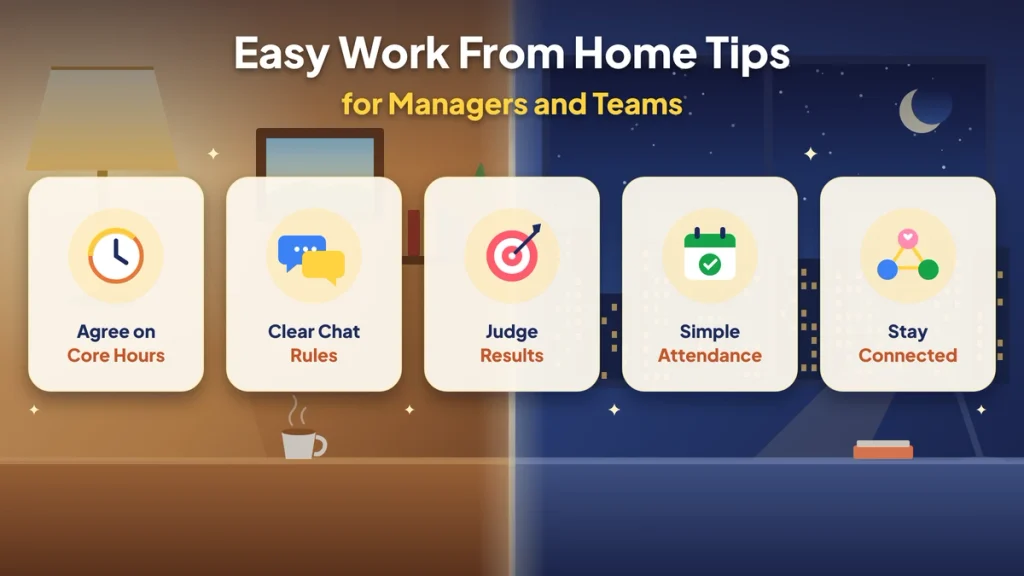
Agree on Core Working Hours
Remote teams work best when everyone is available during a few fixed hours, such as 10 am to 4 pm. Outside these hours, people can manage their time flexibly. Core hours make it easy to schedule meetings and get quick answers without disturbing people late at night.
Working hours should also be clear for payroll and overtime. Our payroll and working hours guides explain how to set shift and overtime rules fairly.
Set Clear Communication Rules
Too many messages on too many apps slow remote teams down. Decide which channel is used for what, for example, chat for quick questions, email for formal updates, and calls for discussions. Agree on how quickly people should normally reply, so nobody feels pressure to respond instantly at all hours.
Write down important decisions in one shared place. This helps people who missed a call catch up without asking again.
Judge Results, Not Online Status
Seeing someone “online” says very little about their output. Judge remote employees by results instead: tasks completed, deadlines met, and quality of work. Set clear weekly goals for each person and review them together at the end of the week.
This approach builds trust and reduces the need for constant check-ins, which most remote employees find stressful.
Keep Attendance Simple and Fair
Remote teams still need a clear record of when work starts and ends, especially for payroll, leave, and overtime. A simple check-in at the start of the day and check-out at the end is enough for most teams. Avoid invasive monitoring such as constant screenshots, which damage trust.
A consistent attendance process also makes it easier to spot patterns early, such as someone regularly logging in late because of a problem they have not shared. Our attendance management guides explain how to set this up.
Keep the Team Connected
Remote work can feel lonely. A short daily or weekly team call, a few minutes of informal chat at the start of meetings, and occasional in-person meetups help people stay connected. Appreciate good work publicly in team channels so that remote employees know their effort is seen.
Before vs Now: Work From Home Productivity
| Area | Before (unplanned WFH) | Now (structured WFH) |
|---|---|---|
| Working hours | Start late, work till late at night. | Fixed routine with core hours |
| Workspace | Bed, sofa, or dining table | Dedicated corner with proper setup |
| Power and internet | Work stops during outages. | Charged devices and backup hotspot |
| Communication | Messages on many apps all day | Clear rules for each channel |
| Performance | Judged by online status | Judged by weekly goals and results |
| Attendance | Unclear or not recorded | Simple daily check-in and check-out |
| Team connection | Isolated employees | Regular team calls and recognition |
Common Mistakes to Avoid
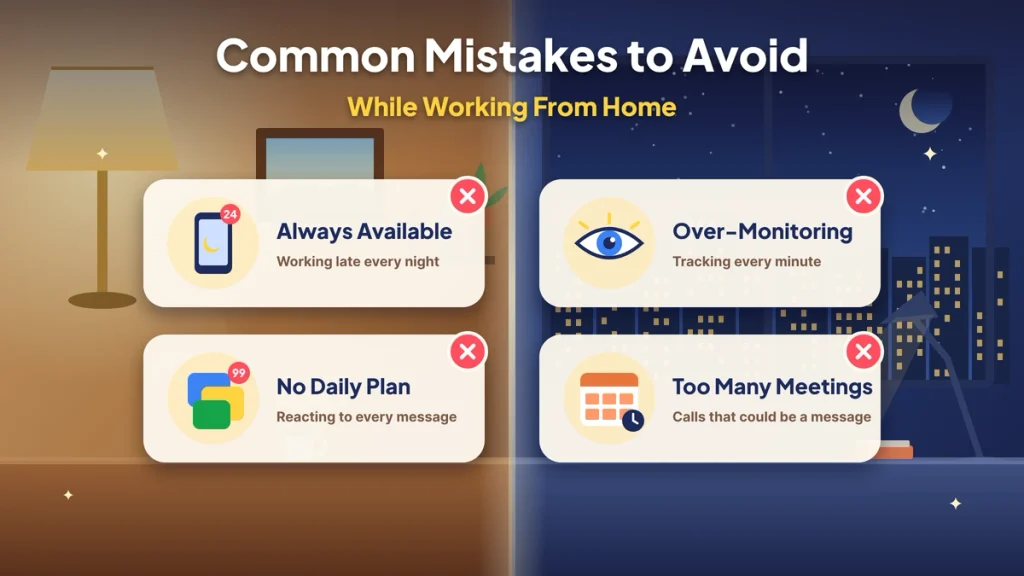
The most common mistake is treating work from home as “available all the time.” It leads to burnout for employees and poor focus for everyone. Another mistake is over-monitoring, where managers track every minute instead of setting clear goals.
Employees often skip planning and spend the day reacting to messages. Teams also make the mistake of copying office habits online, such as long meetings that could have been a short written update. Fixing these few habits improves work from home productivity quickly.
Track Remote Attendance Easily with Attendi
For remote and hybrid teams, Attendi makes daily attendance simple. Employees can mark attendance from their phones with face recognition, and field attendance with location helps confirm check-ins outside the office. Data syncs in real time, custom settings match your own rules, and payroll integration helps attendance flow into salary with less manual work. You can see Attendi’s features and try it with your team.
Frequently Asked Questions
How can I improve my work from home productivity?
Follow a fixed routine, work from a dedicated spot, plan three key tasks each day, take short breaks, and log off at a fixed time.
How do I handle power cuts while working from home?
Set clear weekly goals, review results regularly, and use a simple daily check-in for attendance. Avoid invasive monitoring that damages trust.
How can managers track work from home employees?
Set clear weekly goals, review results regularly, and use a simple daily check-in for attendance. Avoid invasive monitoring that damages trust.
Is working from home less productive than working in the office?
Not necessarily. With the right routine, workspace, and clear goals, many employees are just as productive at home, and some focus even better.
What are core working hours?
Core hours are a fixed part of the day, such as 10 am to 4 pm, when all team members are available for meetings and quick questions.
How do I avoid distractions at home?
Set clear working hours with family, use earphones or a closed door during focus time, and check messages at fixed times instead of all day.
Final Thoughts
Work-from-home productivity comes from small, steady habits rather than big changes. Employees can build a routine, set up a proper workspace, prepare for power and internet issues and protect their rest. Managers can agree on core hours, set clear communication rules, judge results, and keep attendance simple and fair.
Try two or three of these tips this week and build from there. For more ideas on keeping your team focused and motivated, explore our employee productivity guides.