Sneha manages a team of 15 people at a digital marketing agency in Pune. Since the team moved to working from home three days a week, attendance has become a guessing game.
Every morning, a few people post “Good morning, logged in” on the team WhatsApp group. Some forget. One person is always online on chat but rarely answers calls before noon. At month end, HR asks Sneha how many days each person worked from home, and she has to scroll through weeks of chat messages to find out.
Sound familiar? Work from home has made life easier for many employees, but it has made attendance harder for managers and HR. The good news is that tracking remote attendance doesn’t need complicated software or constant monitoring. It needs clear rules, the right tool and a bit of trust.
This guide explains how work-from-home attendance works, the best ways to track it, and how to set it up fairly for your team.
Short answer: Work-from-home attendance means recording when remote employees start and finish work, even though they aren’t in the office. The simplest way is to have employees check in and out on an attendance app or web portal, set clear working hours or core hours, manage leave in the same app, and track work output alongside attendance. Keep it simple, fair, and open so employees feel trusted, not watched.
What Is Work From Home Attendance?
Work-from-home attendance is the record of when remote employees are working. It covers the same things as office attendance:
- When someone started work
- When they finished
- Whether they were on leave, a half day or a holiday
- How many hours they worked, including any overtime
The difference is how it’s recorded. In an office, people walk in and punch a machine. At home, there’s no door to walk through. So attendance has to be marked through an app, a website, or a work login.
Done right, WFH attendance gives you accurate records for salaries and planning, without making employees feel like they’re being watched all day. To see how this fits into your overall setup, explore our attendance management guides.
Before vs Now: Tracking Remote Attendance
Here’s how remote attendance changes when a team moves from informal tracking to a proper system.
| What you look at | Before (WhatsApp, email, trust) | Now (attendance app and clear rules) |
|---|---|---|
| Marking attendance | “Logged in” message on a group chat | One tap on an app or web portal |
| Start and end time | Unclear, often not recorded at all | Exact time saved for each check-in and check-out |
| Working hours | Nobody really knows | Clear hours or core hours, tracked automatically |
| Late starts | Hard to notice, harder to discuss | Marked automatically with grace time |
| Leave and half days | Mentioned on chat, often forgotten | Applied and approved in the app |
| Office and WFH days | Mixed up, no clear record | Each day marked as office, WFH or leave |
| Month-end report | Scrolling through weeks of messages | Ready in a few clicks |
| Trust | Managers worry, employees feel doubted | Clear rules build trust on both sides |
| Salary accuracy | Based on guesswork | Based on real records |
The goal isn’t to watch people more closely. It’s to replace guesswork with a simple, fair record everyone can see.
Why Remote Attendance Is Tricky
It helps to understand why WFH attendance goes wrong so you can avoid the same problems.
- Online isn’t the same as working. A green dot on a chat app only shows that someone opened their laptop.
- There’s no fixed starting point. Without a door or a punch machine, start times drift.
- Personal time blends with work time. People step out for a bank visit or a school pickup and don’t record it.
- Records end up scattered. Attendance lives in chats, emails, and memory, which makes month-end painful.
- Trust works both ways. Managers worry people aren’t working. Employees worry they’re being watched too much.
A good WFH attendance setup solves all five.
Ways to Track Work From Home Attendance
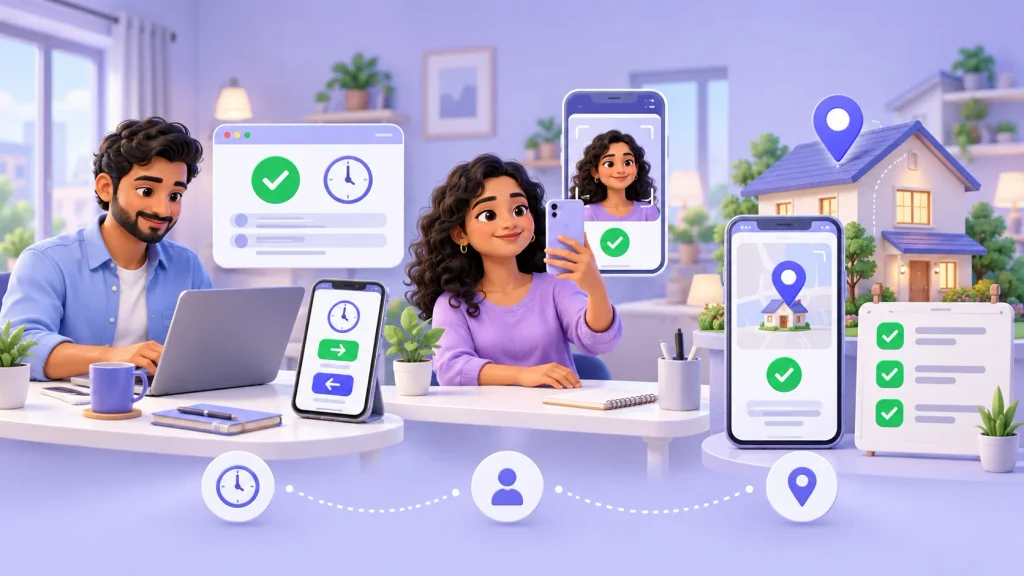
There are several methods. Most teams use one or two of these together.
App Check-In and Check-Out
Employees tap “Check In” on a mobile app when they start and “Check Out” when they finish. The exact time is saved.
Best for: almost every remote team. It’s simple, quick and creates a clear record.
Web Portal Login
Employees mark attendance on a web page from their laptop, often as the first thing they do when they start work.
Best for: teams who work mainly on computers, such as IT, accounts, and design.
Selfie Check-In
The app takes a quick photo when the employee checks in to confirm the right person is marking attendance.
Best for: teams where you need extra confidence that people aren’t marking attendance for each other.
Home Location Check
The employee’s usual work-from-home location is saved, and the app checks it at check-in.
Best for: roles where it matters that people work from an agreed place. Use this carefully and only with the employee’s knowledge.
Task and Output Tracking
Alongside attendance, employees share a short daily update or complete tasks in a project tool.
Best for: every remote team. Attendance shows availability, and output shows actual work.
For most teams, app check-in plus a short daily update is the right balance. It’s simple, fair and gives managers what they actually need.
How to Set Up Work From Home Attendance: Step by Step
Here’s a practical plan you can finish in about a week.
Step 1: Decide Who Works From Home and When
Be clear about your setup. Is your team fully remote, hybrid with fixed office days, or remote only with approval? Write it down.
Step 2: Set Working Hours or Core Hours
Choose one of these:
- Fixed hours: everyone works, for example, 9:30 am to 6:30 pm. Best for support, sales, and shift-based roles.
- Core hours: everyone must be available during a fixed window, for example, 11 am to 4 pm, and can choose when to do the rest of their hours. Best for roles that need some flexibility.
Add a small grace time, such as 10 minutes, so a slightly late check-in isn’t treated as a problem.
Step 3: Write a Simple WFH Attendance Policy
Keep it to one page. Include:
- Working hours or core hours
- How to check in and out
- What counts as late, half-day, or absent
- How to apply for leave or a few hours off
- How quickly people should reply during working hours
- What happens with overtime
- What data the app collects and why
Share it with everyone and ask them to confirm they’ve read it.
Step 4: Choose an Attendance App
Look for an app that offers:
- Mobile and web check-in
- Optional selfie check-in
- Leave and holiday management
- Shift or working hours settings
- Clear daily and monthly reports
- Office, WFH, and leave status for hybrid teams
Step 5: Set Up Leave the Same Way for Everyone
Remote staff should apply for leave in the same app as office staff, with the same rules and balances. Allow short leave or permission hours too, so a two-hour personal errand doesn’t become a guessing game. Our guides on leave and holiday management explain how to set fair leave rules.
Step 6: Add a Daily Update Habit
Ask each person to share three or four lines at the end of the day: what they finished, what’s pending, and anything they need help with. This takes two minutes and gives managers far more confidence than any login time.
Step 7: Walk the Team Through It
Spend 15 minutes on a video call. Show everyone how to check in, apply for leave, and share their daily update. Answer questions openly, especially about privacy.
Step 8: Review After One Month
Look at the first month’s report. Are people checking in? Are leave requests coming through the app? Is anything confusing? Adjust your rules if needed.
A Simple WFH Attendance Policy You Can Copy
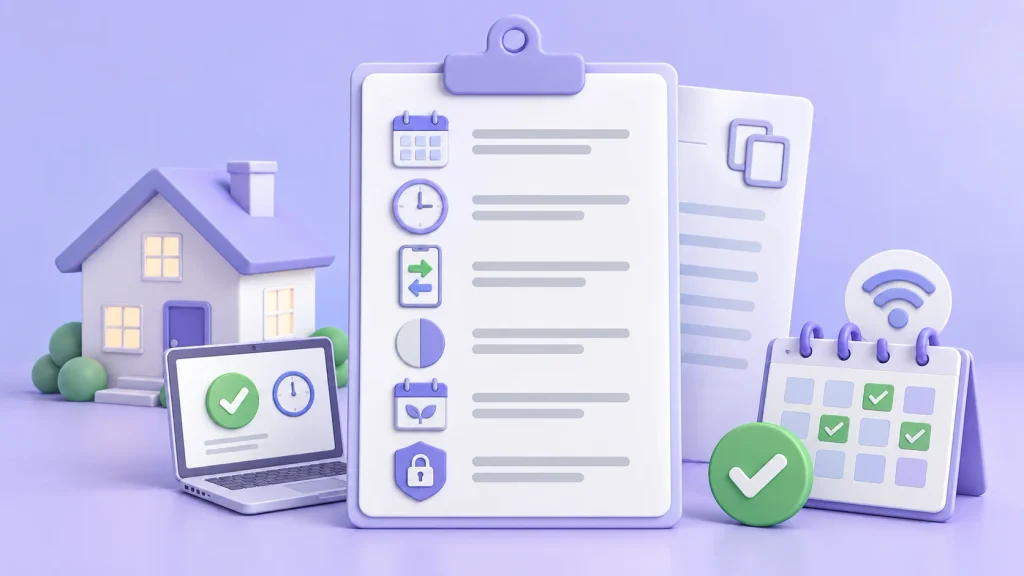
If you’re not sure where to start, here’s a short sample policy. Change the timings and rules to suit your team.
Work From Home Attendance Policy
Working days: Monday to Friday. Saturdays and Sundays are weekly offs.
Working hours: 9:30 am to 6:30 pm. Core hours are 11 am to 4 pm, when everyone must be available for calls and messages.
Check-in: Check in on the attendance app when you start work and check out when you finish. Check-ins after 9:40 am are marked late.
Half day: Working fewer than four and a half hours in a day counts as a half day.
Leave: Apply for leave or a few hours off in the app, at least one day in advance where possible. For sudden illness, inform your manager and apply on the same day.
Daily update: Share a short update on what you finished and what’s pending before you log off.
Internet or power issues: Inform your manager as soon as possible and check in once you’re back online.
Privacy: The app records your check-in and check-out time. Location is checked only at these two moments. No other monitoring is done.
A policy like this takes ten minutes to write and saves hours of confusion every month.
Handling Everyday WFH Situations
Remote work brings situations that don’t happen in an office. Decide in advance how you’ll handle them.
Internet or power cut. Ask the employee to inform their manager as soon as possible and check in once they’re back online. If it lasts long, it can be marked as a half day or adjusted with flexible hours.
Forgot to check in. Let the employee raise a missed check-in request in the app, and the manager approves it if it’s genuine.
Working late to finish something. If extra hours are planned and approved, record them as overtime. If people often work late without approval, it may be a sign of too much workload.
Feeling unwell but “still working.” Encourage people to take sick leave properly. Working while ill at home leads to poor work and burnout.
A few hours off for a personal task. Allow short leave or permission hours in the app, so it’s recorded without fuss.
Working from a different city. If your policy allows it, let employees update their work location in advance.
Hybrid Teams: Office and Home in One System
Many teams now split time between the office and home. The biggest mistake is tracking each differently: a biometric machine at the office and WhatsApp messages at home.
Instead, use one system for both:
- On office days, employees check in at the office using a biometric device or QR code.
- On WFH days, they check in through the mobile app or web portal.
- Each day is marked as Office, WFH or Leave.
This gives you one clean monthly report for salary, and also shows useful patterns, such as how many people use the office each day.
Attendance and Productivity: Getting the Balance Right
Attendance tells you someone was available to work. It doesn’t tell you what they achieved. For remote teams, the most useful view combines both.
- Use attendance for salaries, leave, holidays and planning.
- Use output to understand how well someone is actually doing their job.
- Talk to people when either one changes suddenly.
Avoid heavy monitoring like screenshots every few minutes, keystroke tracking or keeping cameras on all day. These usually hurt trust more than they help and can raise privacy concerns. Clear goals, a daily update and a weekly check-in work far better for most teams. For more ideas, see our guides on employee productivity.
Privacy: Be Open About What You Track
Remote employees work from their homes, so privacy matters even more than in the office.
- Track only what you need: check-in, check-out, leave and work output.
- If you check location, do it only at check-in and check-out, never all day.
- Tell employees in writing what the app collects and why.
- Limit access to HR and the employee’s own manager.
- Delete data you no longer need.
Under India’s Digital Personal Data Protection (DPDP) Act, 2023, employers can use employee data for employment purposes, but must keep it secure, use it only for that purpose and not keep it longer than needed. This is general information, not legal advice.
Mistakes to Avoid
- Using a WhatsApp group as an attendance register. It’s impossible to count at month end.
- Having no written rules. People can’t follow rules they’ve never seen.
- Treating “online” as “working.” It shows presence, not effort.
- Over-monitoring. Screenshots and constant tracking damage trust.
- Separate systems for office and home. It doubles the work and confuses everyone.
- Making leave hard to apply for. People will skip it, and your records will be wrong.
- Never reviewing the data. Records only help if someone actually looks at them.
Final Thoughts
Remember Sneha, scrolling through weeks of WhatsApp messages at month end? With a simple attendance app, clear core hours and a two-minute daily update from each person, her team’s attendance is now one clean report. She knows who worked from home, who was in the office and who was on leave, without chasing anyone. And her team feels trusted, because the rules are clear and fair for everyone.
That’s what good work from home attendance looks like. It isn’t about watching people. It’s about clear rules, a simple tool and honest communication. Start with a one-page policy, pick an app your team will actually use, and review how it’s going after the first month.
Track Remote Attendance Easily with Attendi
Attendi is a simple attendance management system built for Indian businesses. It brings attendance, leave and holiday management, and working hours tracking together in one place, with clear reports for office, hybrid and remote staff. If your team works from home even part of the week, Attendi helps you replace chat messages and spreadsheets with accurate, fair records. Explore more guides on our website or get in touch through our contact page.
Frequently Asked Questions
How do you track attendance for work from home employees?
The simplest way is to have employees check in and out on an attendance app or web portal. Combine this with clear working hours or core hours, leave requests in the same app and a short daily work update.
What is the best way to manage WFH attendance?
Use one attendance system for all employees, set clear working hours, write a simple WFH policy and track output alongside attendance. Avoid heavy monitoring, which tends to hurt trust.
Can one system track both office and work from home attendance?
Yes. Office staff can check in with a biometric device or QR code, while remote staff use a mobile app or web portal. Each day is marked as office, WFH or leave in one report.
Is it legal to track work from home employees in India?
Employers can track attendance and working hours for employment purposes. Under the DPDP Act, 2023, they should tell employees what data is collected, keep it secure and use it only for that purpose.
What should a work from home attendance policy include?
Working hours or core hours, how to check in and out, rules for late marks and half days, how to apply for leave, expected response times, overtime rules and what data is collected