Every month, there’s a stretch of a few days when HR teams go quiet. Registers are pulled out, attendance sheets are printed, late marks are counted, leave forms are matched, and overtime is added up. Only after all that does anyone start on salaries.
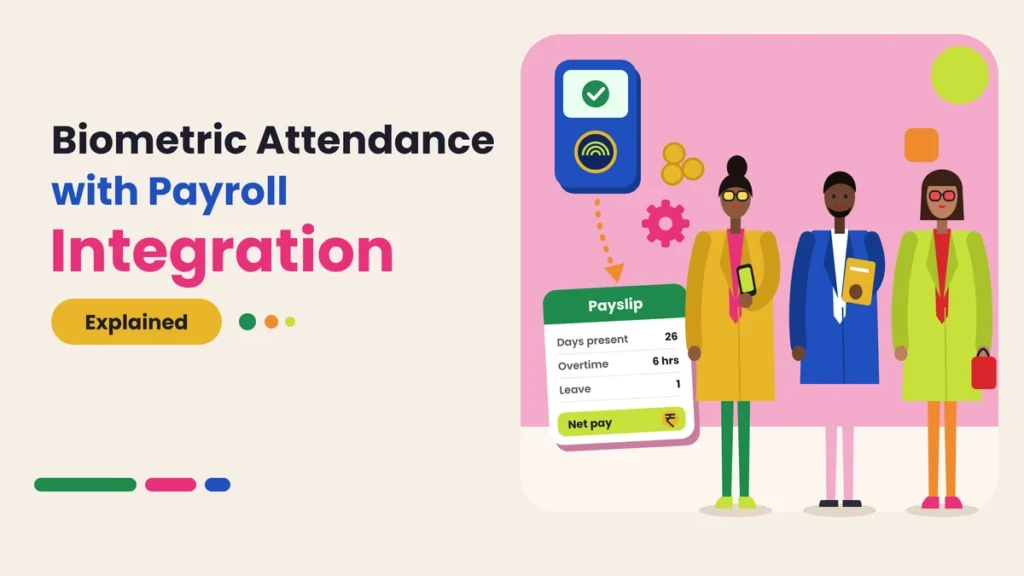
A biometric attendance system already records when each employee comes in and leaves. The real question is what happens to that data next. If it still has to be copied into a payroll sheet by hand, half the benefit is lost. If it flows straight into payroll, the monthly rush gets much shorter and the numbers become far more reliable.
This guide explains how biometric attendance with payroll integration works, what data moves from one system to the other, the different ways to connect them, and how to set it up without mistakes.
Quick answer: Biometric attendance with payroll integration means the punches recorded by your biometric device are turned into attendance (days present, absences, half days, late marks, leave, and overtime) and passed directly to payroll, either inside the same software or through an automatic connection. Payroll then calculates salary, deductions, and overtime from that data, so HR doesn’t have to retype or recheck attendance by hand each month.
What Is Payroll Integration in Biometric Attendance?
A biometric device records raw punches: an employee ID and a time. On its own, that’s just a list of timestamps. To be useful for salary, those punches need to go through two more stages:
- Attendance processing: the software applies your rules to the punches. It works out who was present, who was late, who left early, who worked a half day, who was on leave, and how many extra hours were worked.
- Payroll processing: the payroll system uses that attendance summary to calculate each employee’s salary, including loss of pay for unpaid absences, overtime pay, and any shift allowances.
Payroll integration is the link between these two stages. Without it, someone exports a report, edits it in Excel, and types numbers into the payroll system. With it, the attendance summary moves to payroll automatically and accurately.
How It Works Step by Step
Here’s what happens from the moment an employee punches in to the day they receive their payslip.
Step 1: The Employee Punches In and Out
The employee scans a finger or face at the device. The device records the employee ID, date, and time. Some systems also record which device or branch the punch came from.
Step 2: Punches Sync to the Software
The device sends punches to the attendance software over Wi-Fi, LAN, or mobile data. Good systems sync in real time and store punches offline during internet cuts, then send them once the connection returns.
Step 3: Rules Turn Punches into Attendance
The software checks each punch against the employee’s shift and your policies:
- Was the employee on time, or within grace time?
- Did they leave early?
- Did they complete enough hours for a full day, or only a half day?
- Did they work beyond their shift, and does that count as overtime?
- Was the day a holiday, weekly off, or approved leave?
Step 4: Corrections Are Made During the Month
If someone missed a punch or worked from a client site, they raise a correction request. A manager approves or rejects it. The attendance record updates inside the system, so nothing is fixed on paper.
Step 5: Attendance Is Locked
At the end of the pay period, HR reviews the summary and locks attendance. After this, nobody can change the month’s data without a proper process.
Step 6: Data Moves to Payroll
The locked attendance summary, such as paid days, loss of pay days, overtime hours, and leave taken, is sent to payroll. In an all-in-one platform this happens inside the same system. In other setups it happens through an automatic connection or a standard export file.
Step 7: Payroll Calculates Salaries
Payroll applies each employee’s salary structure to the attendance summary and works out earnings, deductions, and net pay. Payslips are generated from these numbers.
What Data Flows from Attendance to Payroll
The exact fields depend on your salary structure, but most Indian businesses need some or all of these:
- Total days in the pay period and paid days
- Days present and days absent
- Loss of pay (LOP) days for unpaid absences
- Half days
- Late marks and early exits, if your policy deducts for repeated late arrivals
- Paid leave taken by type, such as casual, sick, and earned leave
- Holidays and weekly offs
- Overtime hours, often split by normal days and holidays
- Night shift or shift allowance days
- Total working hours, for hourly or part-time staff
If your leave records sit in a separate system, payroll can’t see the full picture. Keeping leave and attendance together helps a lot. Our leave and holiday management guides cover this in more detail.
Before vs Now: Payroll Without and With Integration
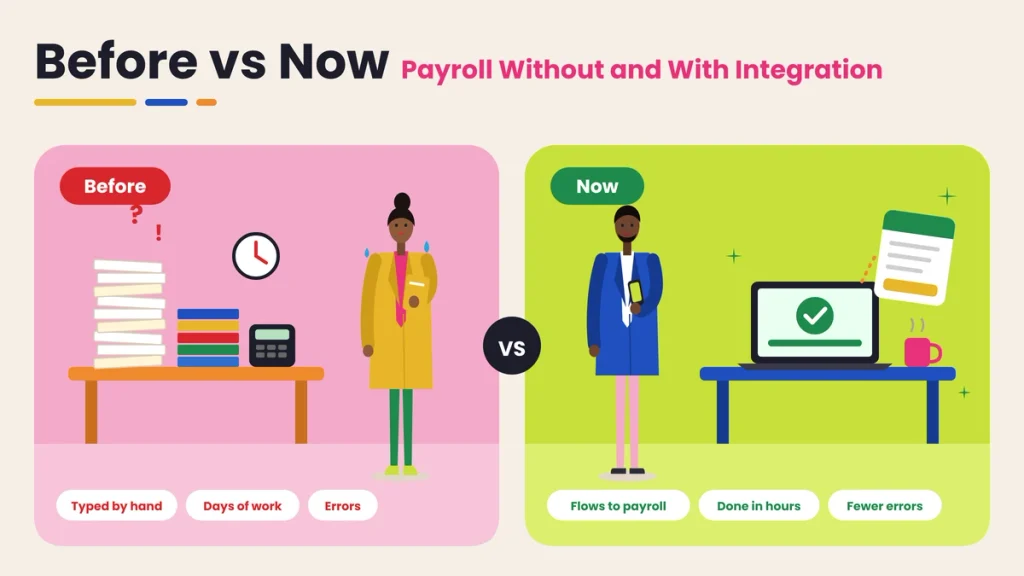
| Area | Before (manual payroll) | Now (biometric attendance with payroll integration) |
|---|---|---|
| Attendance data | Counted from registers or exported sheets | Calculated automatically from punches |
| Data entry | Retyped into payroll every month | Moves to payroll directly |
| Late marks and half days | Counted by hand | Applied by rules |
| Overtime | Estimated or self-reported | Calculated from actual hours |
| Leave | Matched from separate forms | Recorded in the same system |
| Corrections | Made on paper after complaints | Requested and approved during the month |
| Errors | Common and hard to trace | Fewer, with a clear record of changes |
| Time to process salaries | Several days | A few hours |
| Employee disputes | Frequent after payslips arrive | Fewer, since staff can see records during the month |
| Audit trail | Scattered across files | One record from punch to payslip |
Three Ways to Connect Attendance and Payroll
1. All-in-One Attendance and Payroll Platform
Attendance, leave, and payroll live in the same software. There’s nothing to connect, because the data is already in one place.
Best for: small and medium businesses that want one system and one login. Watch out for: make sure the payroll part matches your salary structure and statutory needs.
2. Automatic Connection Between Two Systems
Your attendance software and payroll software are separate, but they’re linked so attendance summaries move across automatically, usually through an API.
Best for: companies that already use a payroll or accounting system they’re happy with. Watch out for: check that employee IDs match exactly in both systems and test the connection before relying on it.
3. Standard Export File
The attendance software exports a monthly summary in Excel or CSV in the format your payroll system or accountant needs. Someone uploads it to payroll.
Best for: businesses whose payroll is handled by an outside accountant or a system with no direct connection. Watch out for: don’t edit the file by hand before uploading. If something is wrong, fix it in the attendance software and export again.
Benefits of Integrating Biometric Attendance with Payroll
Fewer Errors
Every time numbers are copied by hand, mistakes creep in. A wrong digit in overtime or an extra LOP day can mean an unfair salary. Integration removes the copying step.
Faster Payroll
Attendance is ready the moment the month ends. HR reviews and locks it rather than building it from scratch, which turns several days of work into a few hours.
Fair and Consistent Rules
The same rules apply to everyone every month. Late marks, half days, and overtime are calculated the same way for the whole team, which reduces complaints of favoritism.
Accurate Overtime
Overtime is based on actual punch times, not estimates. Employees who stay late get paid for it, and the company avoids paying for hours that weren’t worked.
No Proxy Attendance
Because punches are tied to a person’s finger or face, someone can’t mark attendance for an absent colleague. That means you only pay for real attendance.
Fewer Salary Disputes
When employees can view their attendance during the month and fix genuine mistakes through correction requests, there are fewer surprises on payday.
Clean Records for Audits
From the punch to the payslip, every step is recorded. That makes it easier to answer questions from management, auditors or inspectors.
You can read more about the device side in our biometric attendance section.
A Simple Example From Attendance to Salary
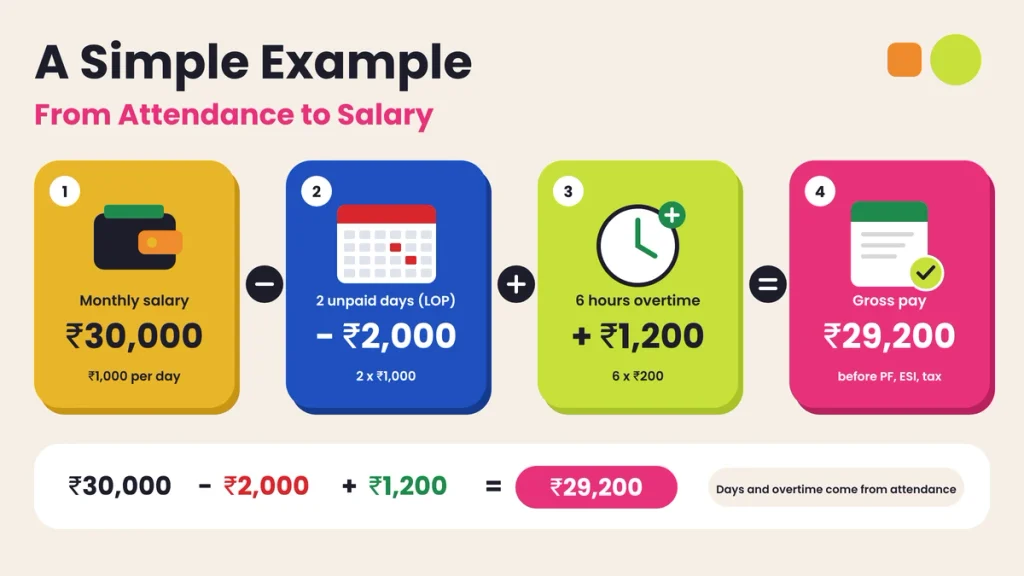
Here’s how attendance affects a month’s salary for one employee. The numbers are only an example, since every company’s salary structure is different.
- Monthly gross salary: ₹30,000
- Days in the month: 30
- Per day salary: ₹30,000 ÷ 30 = ₹1,000
- Unpaid absences (LOP): 2 days
- LOP deduction: 2 × ₹1,000 = ₹2,000
- Approved overtime: 6 hours at ₹200 per hour = ₹1,200
Gross pay for the month: ₹30,000 – ₹2,000 + ₹1,200 = ₹29,200
Statutory deductions such as PF, ESI, and professional tax, where they apply, are then calculated by payroll based on the rules for your business.
With integration, the 2 LOP days and 6 overtime hours come straight from the attendance system. Nobody has to count them from a register, and every number can be traced back to actual punches and approvals.
Indian Payroll Details to Get Right
Payroll in India has a few points where attendance data matters a lot:
- Loss of pay calculation: Decide whether you divide by calendar days, working days, or a fixed number like 26 or 30, and apply it the same way every month.
- Paid days for statutory contributions: PF, ESI, and similar contributions are linked to wages, and wages depend on paid days. Wrong attendance leads to wrong contributions.
- Overtime rules: Overtime pay rules can differ by type of establishment and state. Set your overtime rate and conditions in line with the laws that apply to you.
- Daily wage and contract workers: some staff are paid per day or per hour, so attendance counts directly become wages.
- Shift and night allowances: make sure night shifts that cross midnight are counted correctly and allowance days are captured.
- State holidays: branches in different states may follow different holiday lists.
This is general information, not legal or tax advice. Check the rules that apply to your business with your accountant or legal adviser.
Common Mistakes to Avoid
- Different employee IDs in attendance and payroll. Punches and salaries end up linked to the wrong person.
- Editing attendance in Excel before payroll. This breaks the link between the punch record and the payslip, and errors become hard to trace.
- Not locking attendance. Changes after payroll runs cause mismatches and arrears.
- Leave kept outside the system. Payroll then treats approved leave as absence.
- Wrong shift settings. Night shifts, rotating shifts or flexible hours set wrongly will create false late marks and wrong overtime.
- Skipping the parallel check. Switching fully in the first month without comparing results with your old method.
- Unclear overtime approval. Paying for every extra minute without manager approval can raise costs quickly.
How to Set Up Payroll Integration
- Clean your employee master data. One ID per employee, matching in both attendance and payroll, with correct joining dates, departments and salary structures.
- Set attendance rules. Shifts, grace time, late mark policy, half-day hours, overtime rules, weekly offs and holidays.
- Bring leave into the system. Leave types, balances and approval flows should live with attendance.
- Choose your connection method. All-in-one platform, automatic connection or standard export file.
- Map the fields. Decide which attendance fields go to which payroll fields, such as paid days, LOP days and overtime hours.
- Run a test month. Process one month through the new flow and compare it with your existing payroll. Fix any gaps.
- Go live and lock monthly. Review attendance, lock it and run payroll from the locked data every month.
Our payroll and working hours guides explain working hours and overtime calculations in more detail.
Questions to Ask Before Choosing a System
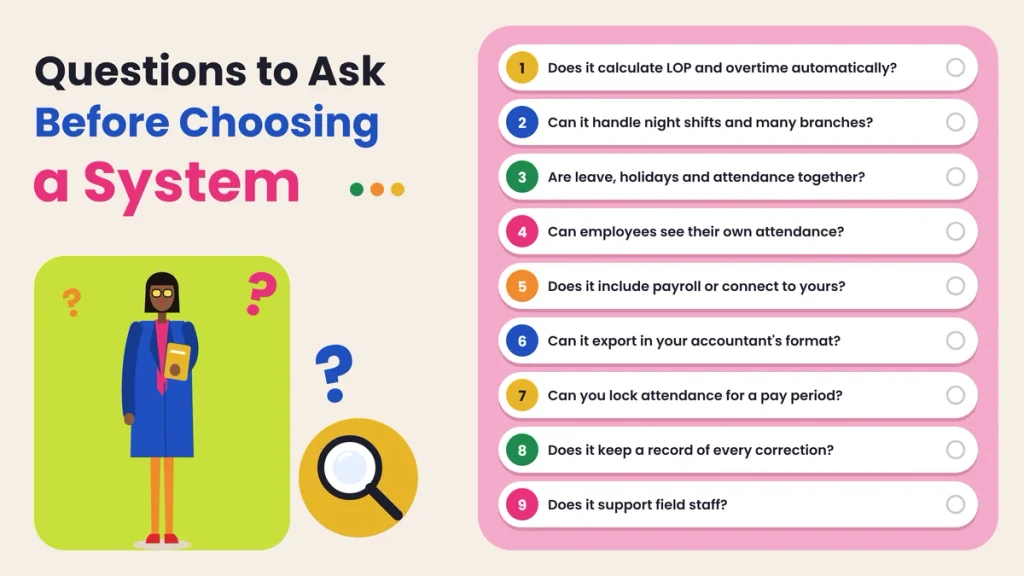
- Does it calculate paid days, LOP, half days and overtime automatically?
- Can it handle night shifts, rotating shifts and multiple branches?
- Does it keep leave, holidays and attendance together?
- Can employees see their own attendance and raise corrections?
- Does it include payroll, or connect to the payroll system you already use?
- Can it export attendance in the format your accountant needs?
- Can you lock attendance for a pay period?
- Does it keep a record of every correction and who approved it?
- Does it support field staff who don’t punch at a fixed device?
Final Thoughts
A biometric device does one job very well: it records who came in and when. But salaries depend on what happens after that punch. When attendance has to be counted again, edited in Excel and typed into payroll, the same old errors and delays come back.
Integration closes that gap. Punches become attendance through clear rules, corrections are handled during the month, attendance is locked on time and payroll works from data everyone can trust. The result is faster salary processing, fewer disputes and a clean record from the punch to the payslip.
Connect Attendance and Payroll with Attendi
Attendi is an attendance management platform built for Indian businesses. It records attendance through face recognition, QR code attendance and field attendance with location, and syncs check-ins in real time to one dashboard. Custom settings let you set shifts, grace time, late marks, half days, leave and holidays to match your policy. Working hours, overtime and attendance flow into payroll, so salary calculations start from clean data, and employees can view their own records from their phone. If monthly payroll still means hours of counting and checking, explore Attendi and see how much simpler it can be.
Frequently Asked Questions
What is biometric attendance with payroll integration?
It’s a setup where punches from a biometric device are turned into attendance data and passed directly to payroll, so salaries are calculated from actual attendance without re-typing numbers by hand.
What attendance data does payroll need?
Usually paid days, days present, loss of pay days, half days, paid leave taken, holidays, weekly offs, overtime hours and shift allowance days.
Can I connect my existing biometric machine to payroll?
Often, yes, if the device can sync with attendance software that either includes payroll or can connect or export to your payroll system. Check with your vendor that both systems use the same employee IDs.
How is loss of pay calculated from attendance?
Payroll divides the monthly salary by the number of days used in your policy, such as calendar days or a fixed 26 or 30, and multiplies it by the number of unpaid absence days.
Is overtime calculated automatically?
Yes, if overtime rules are set in the attendance software. It calculates extra hours from actual punch times and, if required, sends only approved overtime to payroll.
What if an employee forgets to punch?
They raise a correction request during the month. Once a manager approves it, the attendance record updates and payroll uses the corrected data.
Do I still need to check attendance before running payroll?
Yes. A quick review before locking attendance helps catch unusual cases, such as missing punches or wrong shift settings, before they affect salaries.