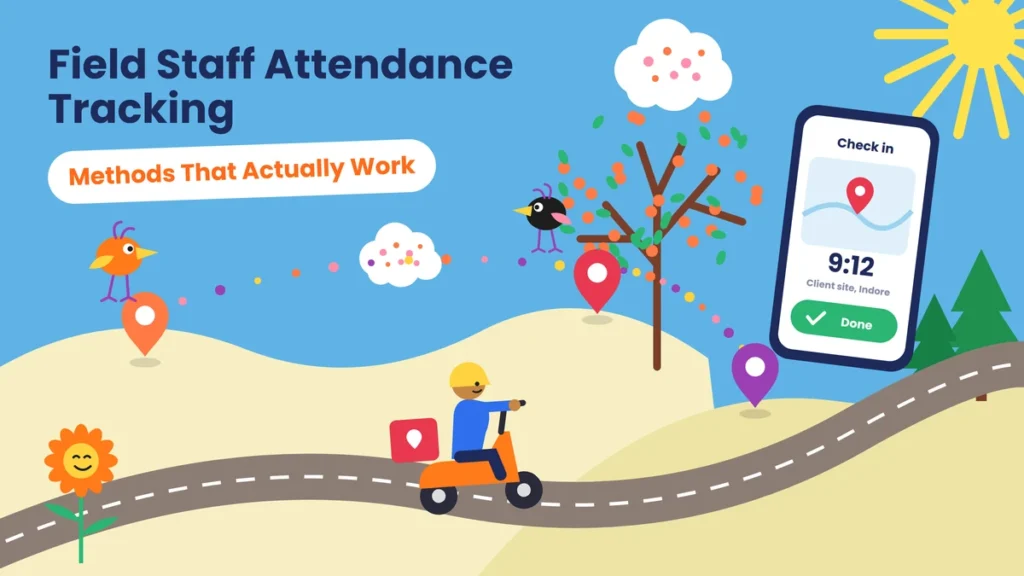
It’s 10:30 on a Tuesday morning. How many of your field employees are working right now?
If the honest answer is “I’d have to call them and check,” you’re in the same spot as thousands of Indian businesses. Sales teams, service technicians, delivery riders, and collection agents spend their whole day outside the office. Nobody sees them start work, nobody sees them finish, and attendance ends up resting on phone calls, WhatsApp messages, and trust.
That causes problems on both sides. Owners can’t tell a genuine long day from a late start. Honest employees who work till 9 pm get the same credit as someone who started at noon. And every month’s end brings arguments about half days, missed days, and travel allowance.
The good news is that field attendance is no longer hard to fix. A phone, a simple app and a few clear rules are usually enough. This guide covers:
- The methods that actually work, and which teams they suit
- The methods that look easy but cause trouble
- A step-by-step setup plan
- The rules to put in a field attendance policy
- How to keep tracking fair so your team accepts it
What Is Field Staff Attendance Tracking?
Field staff attendance tracking is the process of recording when employees who work outside the office start and end their working day and where they were at those moments. Most businesses do this with a mobile app that saves the time and GPS location at check-in and check-out, sometimes with a selfie. Teams that work at fixed sites can also use geo-fencing, QR codes, or a device at a hub. Good tracking records only what attendance needs, not every movement through the day.
Who Counts as Field Staff?
Field staff are employees who do most of their work outside a fixed office. In Indian businesses, this usually includes:
- Sales executives and medical representatives
- Service, repair, and installation technicians
- Delivery riders and drivers
- Collection agents and loan officers
- Merchandisers and promoters at retail stores
- Security guards and housekeeping staff at client sites
- Site supervisors and workers on construction or project sites
- Surveyors, auditors, and inspectors
Each group works differently. A medical representative visits ten doctors a day. A security guard stays at one client site for a full shift. A delivery rider starts and ends at a hub. That’s why no single method fits everyone, and why choosing the right method for each role matters so much.
What You Actually Need to Know About a Field Day
Before picking any tool, be clear about what you’re trying to find out. For attendance, you really need answers to just three questions:
- Did the employee work today?
- When did the working day start and end?
- Where were they at those moments?
Some businesses also need a fourth answer: which customers or sites did they visit? This is useful for sales, service, and collections teams, where visits are linked to incentives or allowances.
Everything else, such as where someone was at 2:15 pm or how long they stopped for lunch, isn’t needed for attendance. Keeping your goal this simple makes the system easier to set up and much easier for your team to accept. For a wider view of how attendance systems work, explore our attendance management guides.
Before vs Now: Field Staff Attendance
Here’s how field attendance changes when a business moves from phone calls and trust to a proper system.
| What you look at | Before (calls, messages, trust) | Now (mobile check-in with location) |
|---|---|---|
| Start of the day | A call or “on-field” message | Check in with time and location. |
| End of the day | Usually not recorded | Check out with time and location. |
| Proof the right person checked in | None | Optional selfie at check-in |
| Customer visits | Written in a daily report | Logged at the customer’s location |
| Long working days | No credit, no record | Hours calculated automatically |
| Late starts | Hard to know | Marked against the agreed time |
| Travel allowance | Based on claims | Based on recorded visits |
| Leave | A call to the supervisor | Applied and approved in the app |
| Supervisor’s time | Hours spent calling the team | A quick look at who has started |
| Month-end salary | Arguments and guesswork | Clear records for every day |
The biggest change is trust in both directions. The business knows the work is happening, and honest employees finally get credit for long days and extra visits.
Field Staff Attendance Methods That Actually Work

1. Mobile App Check-In with GPS
This is the foundation for most field teams. At the start of the day, the employee opens the attendance app and taps “Check In.” The app records the time and the phone’s location. At the end of the day, they check out the same way.
Works best for sales, service, collections, and most other field roles.
Why it works: it takes a few seconds, works on any basic Android phone, and gives you a clear start and end time with location.
2. Selfie Check-In
The app takes a quick photo when the employee checks in. Some apps also match the face against the employee’s profile photo.
Works best for teams where one person might check in for another or where phones are shared.
Why it works: it confirms that the right person is checking in, without any extra device.
3. Geo-Fenced Check-In
A geo-fence is an invisible boundary drawn around a location, such as a warehouse, a client’s office, or a project site. The app only allows check-in when the phone is inside that boundary.
Works best for staff who start or work at the same known place, like site supervisors, guards at client locations, or merchandisers at fixed stores.
Why it works: it stops check-ins from home or from the wrong place, without needing a supervisor to watch.
4. QR Code at the Site
A QR code is placed at a store, client office, site gate, or depot. The employee scans it with the attendance app when they arrive. Since the code stays at that location, a scan proves the person was physically there. Our QR code attendance guides explain how to set this up and keep it secure.
Works best for security guards, housekeeping staff, merchandisers, and technicians who visit the same sites again and again.
Why it works: it’s cheap, quick to set up, and very hard to fake when the code is fixed at the site.
5. Visit Check-Ins
Along with daily attendance, employees check in at each customer visit or job. The app saves the time and location of each visit, and the employee can add a short note.
Works best for sales, service, and collections teams where the number of visits matters.
Why it works: it replaces end-of-day reports with real records, and it helps you plan routes and pay incentives fairly.
6. Supervisor Marking at the Site
On construction or project sites, a supervisor marks attendance for the whole crew on a phone or tablet, usually with a group or individual photo.
Works best for labor teams where many workers don’t carry smartphones.
Why it works: it brings workers without phones into the same system as everyone else.
7. Biometric or QR at a Hub
If your field staff start and end their day at a depot, hub, or warehouse, a fingerprint or face recognition device is often the simplest option.
Works best for delivery riders, drivers, and logistics teams.
Why it works: one device covers the whole team, and attendance is marked at the same place every day.
Which Method Fits Your Team?
Most businesses mix two or three methods. Here’s a simple guide:
- Sales executives and medical reps: mobile check-in with selfie, plus visit check-ins.
- Service and repair technicians: mobile check-in, plus a check-in at each customer location.
- Delivery and logistics teams: biometric or QR at the hub for start and end of day.
- Security guards and housekeeping staff: QR code or geo-fenced check-in at the client site.
- Merchandisers and promoters: geo-fenced check-in at the assigned store.
- Construction and project workers: supervisor marking with photos.
- Collection agents: mobile check-in plus visit check-ins for each customer meeting.
Start with the simplest method that answers your three main questions. Add more only when there’s a clear reason.
Methods That Don’t Work Well
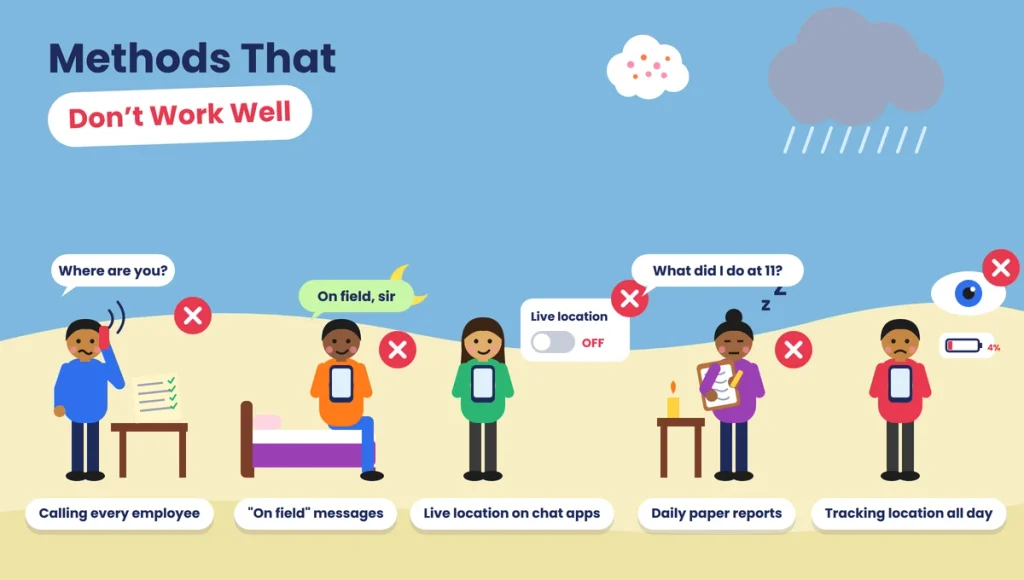
Some common ways of tracking field staff create more problems than they solve.
Phone calls to every employee. They take up the supervisor’s whole morning and depend entirely on what people say.
WhatsApp “on field” messages. There’s no proof of time or place, and messages get lost in busy groups.
Sharing live location on WhatsApp. It’s easy to switch off, hard to keep records of, and often feels intrusive.
Daily paper reports. They’re filled in at the end of the day, often from memory, and are hard to check.
Tracking location all day. It drains batteries, makes staff feel watched, and gives you far more data than attendance needs.
Setting Up Field Attendance Step by Step
Step 1: Group Your Field Staff by How They Work
List your field roles and note where each one starts the day, whether they visit customers, and whether they carry a smartphone. This tells you which method suits each group.
Step 2: Write Down the Rules
Decide the expected start time, grace period, minimum hours for a full day, and how missed check-ins will be handled. Keep the rules the same for everyone in the same role.
Step 3: Choose an App That Suits Field Work
Look for GPS check-in, optional selfie, geo-fencing, QR scanning, visit logs, offline mode, leave requests, and simple reports. It should run smoothly on basic Android phones and use very little battery and data.
Step 4: Set Up Sites and Geo-Fences
Add depots, client sites, and stores where staff check in regularly. Set a sensible boundary size, wider in crowded city areas where GPS can drift.
Step 5: Train the Team in Person
Show each employee how to check in, check out, log a visit, and apply for leave. A five-minute demo in person works better than a long message. Share a short video they can watch later.
Step 6: Run a Short Trial
Try the system with one team for two weeks. Check the records every day and fix problems such as poor GPS in some areas, phones without enough storage or people forgetting to check out.
Step 7: Link It to Salary and Allowances
Once the records are reliable, use them for salary, travel allowance and incentives. Our payroll and working hours guides explain how attendance data flows into salary.
Rules to Put in Your Field Attendance Policy
A short written policy prevents most disputes. Include:
- Working days and weekly off. For example, Monday to Saturday, with Sunday off.
- Start time and grace period. For example, check in by 9:30 am, with late marks after 9:45 am.
- Where to check in. At the hub, the first customer visit or the assigned site.
- Selfie rule. Whether a photo is needed at check-in.
- Visit check-ins. Whether each customer visit must be logged.
- Half day rule. For example, fewer than 4.5 working hours counts as a half day.
- Missed check-in or check-out. How to raise a request and who approves it.
- Leave. How to apply and how much notice to give.
- Allowances. How travel and visit allowances are calculated from records.
- Location data. Exactly when location is recorded, and that it isn’t recorded at any other time.
Share the policy before the system goes live, and make sure every employee knows where to find it.
Getting Field Staff to Accept It
The success of field attendance depends on whether your team actually uses it. A few simple steps make a big difference.
Explain what they gain. Long days get recorded, allowances are calculated from real visits and nobody has to answer “Where are you?” calls anymore.
Be clear about privacy. Tell them that location is recorded only at check-in, check-out and visits. Put this in writing.
Start with supervisors. When team leaders check in first, others follow.
Help with practical issues. If someone has an old phone, low storage or a limited data pack, sort it out. A small monthly data allowance is a fair gesture.
Thank people early on. In the first weeks, recognise employees who use the system well. It sets the tone for everyone else.
Privacy and Fairness
Location and photos are personal data. Under India’s Digital Personal Data Protection (DPDP) Act, 2023, employers can use them for employment purposes, but they should tell employees what is collected and why, keep the data secure and not keep it longer than needed.
In practice, a fair field attendance system:
- Records location only at check-in, check-out and visits
- Never records location outside working hours
- Lets employees see their own attendance records
- Gives a simple way to correct genuine mistakes
- Limits who can see location data to the people who need it
Fair rules protect the business too. When staff trust the system, they use it properly, and the records become more accurate.
Handling Real-World Problems
Weak GPS in markets, basements or tall buildings.
Ask staff to check in just outside the building, and set wider geo-fence boundaries in crowded areas.
No mobile network in some areas.
Use an app with offline mode. Check-ins are saved on the phone and uploaded later with the original time.
Battery dies before the day ends.
Allow a missed check-out request with supervisor approval. Encourage staff on long routes to carry a power bank.
Employee forgets to check in.
Set an automatic reminder at the usual start time and another before the usual end time.
Shared or borrowed phones.
Turn on selfie check-in so each check-in is linked to the right person.
Workers without smartphones.
Use supervisor marking at the site, or keep a shared device at the hub.
Using Field Attendance Data Well
Good field attendance records do much more than mark present or absent.
Fair travel allowance. Pay for real visits and real distances instead of claims.
Accurate incentives. Link incentives to recorded visits, so top performers are rewarded properly.
Better route planning. If one technician spends half the day travelling between far-apart jobs, you can change how jobs are assigned.
Spotting overwork. If someone regularly works 11-hour days, it may be time to share the load before they burn out or leave.
Quicker customer answers. When a customer asks whether a technician visited, you can check the record in seconds.
Common Mistakes to Avoid
- Tracking location all day. It isn’t needed for attendance and damages trust.
- Using one method for every role. A guard at a client site and a sales rep on the road need different setups.
- No offline mode. Honest staff get marked absent because of weak network.
- No way to fix errors. GPS isn’t perfect, and people need a fair correction process.
- Too many check-ins. Asking for hourly check-ins wastes time and frustrates good workers.
- Skipping the explanation. Rolling out an app without explaining why it’s being introduced creates suspicion.
- Not using the data. If records are never used for salary or allowances, staff stop taking them seriously.
Final Thoughts
Field staff will never sit at a desk where you can see them, and they shouldn’t have to. What they need is a quick, fair way to show when their day started, when it ended and where they were at those moments. What the business needs is records it can trust at month end.
A mobile check-in, a selfie or QR code where it makes sense, visit logs for teams that meet customers and a one-page policy cover almost every field team in India. Pick the method that suits each role, keep location tracking limited to check-in, check-out and visits, and use the records to pay people correctly. Do that, and the 10:30 am question has an answer on your screen instead of a list of phone calls to make.
Track Field Teams with Attendi
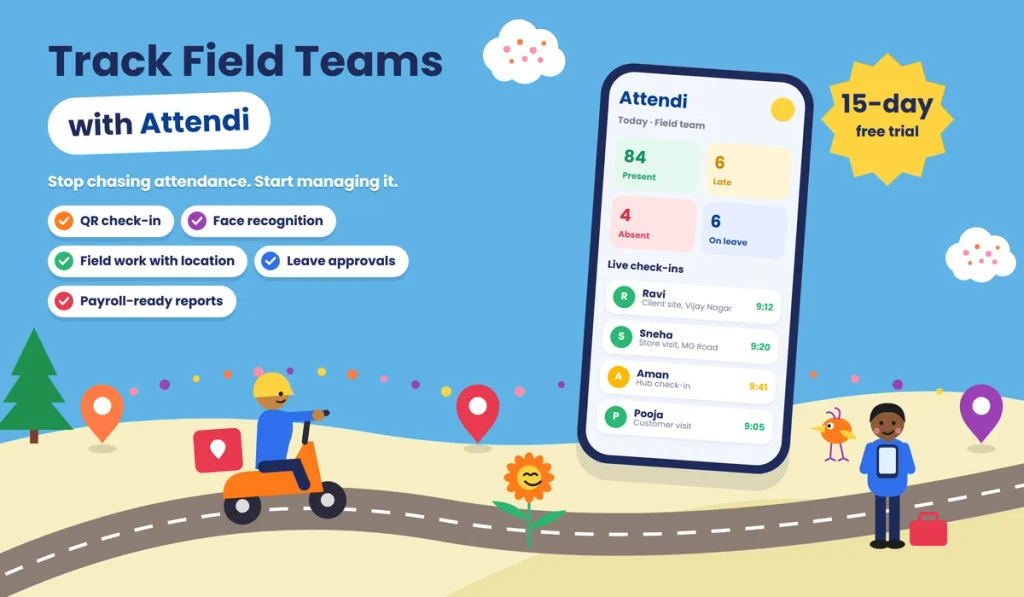
Attendi is a simple attendance management system built for Indian businesses. It supports QR code and biometric attendance, handles leave and holidays, tracks working hours for payroll and brings office and field attendance into clear reports in one place. If your field team still reports attendance through calls and messages, Attendi helps you move to accurate records that are fair to everyone. Explore more guides on our website or get in touch through our contact page.
Frequently Asked Questions
What is the best way to track field staff attendance?
For most teams, a mobile attendance app with GPS check-in and check-out works best. Add a selfie to confirm identity, and use geo-fencing or QR codes at fixed sites for extra accuracy.
Can I track field staff attendance without GPS?
Yes. QR codes fixed at sites, biometric devices at hubs and supervisor marking at project sites all work without GPS tracking on the employee’s phone.
Is it legal to track employees’ location in India?
Employers can record location for employment purposes, but under the DPDP Act, 2023, they should tell employees what is collected and why, keep the data secure and use it only for that purpose. Recording location only at check-in, check-out and visits is a fair approach.
What if there’s no internet where my field staff work?
Choose an app with offline mode. It saves check-ins on the phone with the correct time and uploads them when the network returns.
Should field staff check in from home?
Usually not. It’s better to check in at the first work location, such as the hub, the first customer visit or the assigned site, so the start time reflects real work.
How do I prevent fake check-ins?
Use selfie check-in to confirm identity, geo-fencing at fixed sites, QR codes at regular locations and visit check-ins at customer sites. Review reports for unusual patterns, such as the same location every day for staff who should be moving around.
How are working hours calculated for field staff?
Working hours are usually the time between check-in and check-out. Your policy should say clearly whether travel between visits counts as working time.
Do field staff need expensive smartphones?
No. Most attendance apps work on basic Android phones. For workers without phones, use supervisor marking or a shared device at the hub.