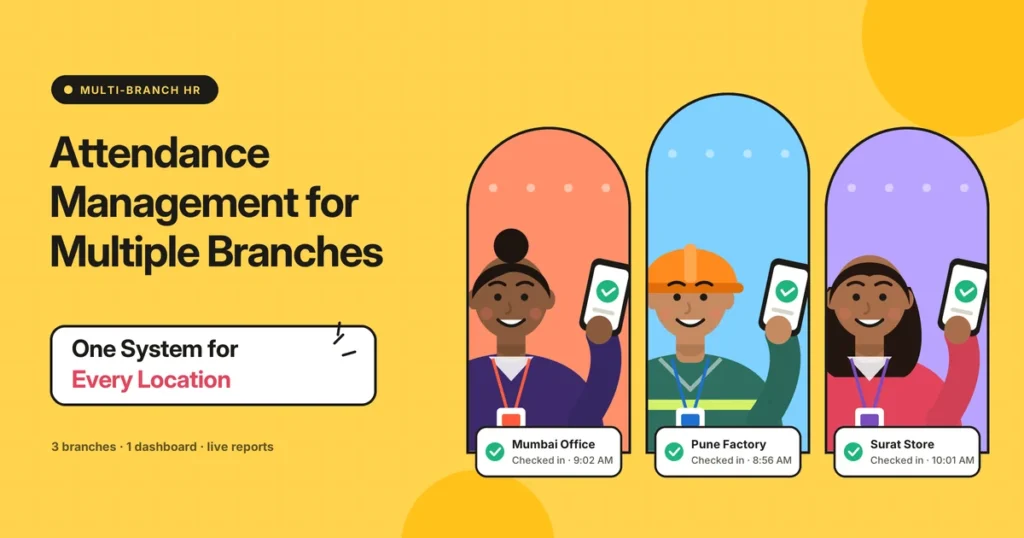
A mobile accessories chain started with one shop in Ahmedabad. Five years later, it has nine stores across Gujarat and Maharashtra, a warehouse in Vadodara, and a small head office.
Every store manager keeps attendance in their own way. Two use registers, three use Excel, one sends photos of a notebook on WhatsApp and the warehouse has an old fingerprint machine that nobody has checked in months. At month end, the head office accountant collects ten different formats, retypes everything and still finds mistakes after salaries go out.
This is what happens when a business grows across locations but its attendance system doesn’t grow with it. It’s one of the most common growing pains we see in Indian businesses.
Managing attendance across multiple branches isn’t just a bigger version of managing one office. Each location has its own staff, shifts, holidays and sometimes its own state rules. This guide explains how to bring every branch into one simple system, so the owner and HR can see everything in one place, without losing control at the local level.
Short answer: Multi-branch attendance management means tracking attendance for employees across different locations using one central system. Each branch marks attendance locally through biometric devices, QR codes, or mobile apps, and all data flows to one dashboard. Set branch-specific shifts, weekly offs and state holidays, give branch managers access only to their own staff, and use combined reports for payroll and decisions.
Why Multi-Branch Attendance Gets Messy
When attendance isn’t centralized, these problems show up quickly:
- Different methods at each branch. Registers here, Excel there, a machine somewhere else.
- No single view. The owner can’t see who’s working across the business today.
- Month-end chaos. HR collects and retypes data from every location.
- Different rules in practice. One branch allows 15 minutes’ grace, another allows 30.
- State differences. Holidays and some labor rules change from one state to another.
- Staff moving between branches. Their attendance gets split or lost.
- Weak control. The head office can’t check if a branch’s records are accurate.
You can find more on building a strong attendance setup in our attendance management guides.
Before vs Now: Managing Attendance Across Branches
Here’s what changes when a business moves from separate branch records to one central system.
| What you look at | Before (each branch on its own) | Now (one central attendance system) |
|---|---|---|
| Attendance method | Different at every branch | Same system everywhere |
| Data location | Registers, sheets, and phones | One central dashboard |
| Owner’s view | Calls to each branch manager | Live view of all branches at once |
| Rules | Applied differently at each location | Same company rules, set once |
| State holidays | Managed by memory | Branch-wise holiday lists |
| Staff transfers | Records split between branches | One record that follows the employee |
| Month-end work | Collecting and retyping from every branch | One combined report |
| Accuracy checks | Hard to verify branch records | Every punch is time-stamped and traceable. |
| Branch manager access | Full control, no oversight | Access only to their own team |
| Comparing branches | Almost impossible | Side-by-side reports |
The biggest change is visibility. For the first time, the owner can see the whole business in one place, compare branches fairly and spot problems before they turn into salary disputes or staffing gaps.
What a Multi-Branch Attendance System Needs
Not every attendance system handles multiple locations well. Look for these features:
- Branch setup: create each location with its own address and details.
- Branch-wise shifts: different timings for different stores, offices, or sites.
- Branch-wise weekly offs: for example, one store closed on Tuesday, another on Sunday.
- State-wise holiday lists: so a branch in Gujarat and one in Maharashtra follow their own holidays.
- Devices or methods per branch: biometric at one, QR code at another, mobile app for field staff.
- Role-based access: branch managers see only their own staff, HR and owners see everything.
- Employee transfers: move staff between branches without losing their history.
- Combined and branch-wise reports: one view for the whole business and one for each location.
- Offline mode: branches in smaller towns may have patchy internet.
- Payroll-ready data: one export for salaries across all branches.
Choosing the Right Attendance Method for Each Branch

Different branches may need different methods, and that’s fine, as long as everything feeds into one system.
Large branches and warehouses. Fingerprint or face recognition devices handle many people quickly and stop proxy attendance. Our biometric attendance guides explain how to choose the right device.
Small stores and kiosks. A QR code at the counter, scanned with a phone, is cheap and quick to set up.
Head office. Biometric or card access, plus web or app check-in for hybrid staff.
Field and delivery staff. Mobile app check-in with location.
Temporary sites and pop-up stores. QR code or mobile app attendance, so you don’t need to install devices.
How to Set Up Attendance Across Multiple Branches
Step 1: List Every Location
Write down each branch, its address, number of staff, working hours, weekly days off, and the state it’s in.
Step 2: Agree on Company-Wide Rules
Decide which rules are the same everywhere, such as grace time, late-mark rules, half-day rules, and leave types. Consistency across branches is what makes the system fair.
Step 3: Set Branch-Specific Settings
Add the things that genuinely differ by location: shift timings, weekly days off, and state holiday lists.
Step 4: Choose the Method for Each Branch
Decide whether each branch uses a biometric device, QR code, or mobile app, based on size and setup.
Step 5: Add Employees to Their Branches
Upload employees with their branch, department, and shift. Staff who work across branches can be assigned a home branch.
Step 6: Set Access for Branch Managers
Give each branch manager access to their own team’s attendance, approvals, and reports. HR and owners get access to everything.
Step 7: Train Branch Managers First
Branch managers will handle daily approvals and questions. Train them properly before rolling out to staff.
Step 8: Roll Out Branch by Branch
Start with one or two branches, fix any problems, then add the rest. This is much smoother than switching everyone on the same day.
Step 9: Set Up Leave and Holidays
Add leave policies and branch-wise holiday lists so absences are matched automatically. Our leave and holiday management guides explain how to set this up across locations.
Step 10: Use One Report for Payroll
At month end, download one combined report for all branches or branch-wise reports if each location’s salaries are handled separately.
Keeping Branch Managers on Your Side
A new central system can make branch managers feel they’re losing control. Bring them on board early.
Explain what’s in it for them. No more registers to maintain, no more sending sheets to the head office, and quick answers when staff ask about attendance or leave.
Give them real responsibility. Let them approve leave, missed punches, and shift swaps for their own teams. They know their people best.
Share their branch reports with them. When managers see their own team’s attendance trends, they start fixing problems before the head office has to step in.
Ask for feedback. Branch managers will spot problems in the first few weeks, such as a shift timing entered wrongly. Fix these quickly, and they’ll trust the system.
Handling State Differences
Businesses spread across states face a few extra points:
- Holidays differ by state. Regional festivals and state holidays vary, so each branch should follow its own list.
- Shop and establishment rules differ. Opening hours, weekly offs and some working conditions are set by state rules.
- Labor codes apply nationally. India’s four labor codes, in force since 21 November 2025, set national basics such as 8 hours a day and 48 hours a week, overtime at twice the ordinary wage rate, and record-keeping duties, while states add their own rules.
When rules differ, follow the stricter one for each location, and check with your CA or labor law consultant. This is general information, not legal advice.
Reports That Help Multi-Branch Businesses
- All-branch daily summary: present, absent, and late staff across every location today.
- Branch comparison: attendance rate, late arrivals, and overtime side by side.
- Branch-wise monthly report: for local managers and branch payroll.
- Transfer report: staff who moved between branches and when.
- Device or method health: branches where devices haven’t sent data recently, which can signal a problem.
Comparing branches often reveals useful patterns. One store may have far more late arrivals because of a transport issue, or one warehouse may have high overtime because it’s understaffed.
Tips for Running Multi-Branch Attendance Smoothly
Keep core rules the same. Staff talk to each other across branches. Different rules feel unfair, even when there’s a good reason behind them.
Give branch managers responsibility, not full control. Let them approve leave and corrections, but keep company rules locked at the head office.
Check device data regularly. A device that stops syncing can quietly create gaps. A quick weekly check prevents surprises, especially at branches far from the head office.
Plan for staff who move. Sales staff, area managers, and relievers often work at different branches. Make sure the system records where they worked each day so travel and allowances can be calculated correctly.
Review branch reports monthly. Look for branches that need support, such as more staff, better shift planning, or manager training.
Multi-Branch Attendance by Business Type

Different kinds of businesses face different challenges when they spread out.
Retail chains. Many small stores with a few staff each, often open seven days with rotating weekly offs. QR code attendance at each counter keeps costs low, and branch-wise weekly offs are a must.
Restaurant and café chains. Split shifts, late closing and part-time staff. The system should handle two shifts in a day and staff who work at more than one outlet.
Clinics and diagnostic centres. Doctors and technicians often visit several centres in a week. One record per person, with each visit logged at the right location, keeps attendance and pay accurate.
Schools and coaching institutes. Teaching and non-teaching staff across campuses, with academic holidays and exam schedules. Branch-wise calendars and simple biometric or QR attendance work well.
Manufacturing with multiple plants. Large shift teams, contract workers and overtime at each plant. Face recognition devices at every gate and plant-wise reports are key.
Service companies with regional offices. Office staff plus field teams in each region. A device at each office and a mobile app for field staff, all in one system, covers everyone.
Questions to Ask Before Choosing a System
Before you pick attendance software for multiple locations, ask the vendor:
- Can I set different shifts and weekly offs for each branch?
- Can I add separate holiday lists for different states?
- Can different branches use different methods, such as biometric, QR code and mobile app?
- Can branch managers see only their own team?
- How are employee transfers between branches handled?
- Does it work offline in branches with weak internet?
- Can I get one combined report and branch-wise reports for payroll?
- How does pricing change as I add more branches and employees?
A Simple 30-Day Rollout Plan
If you’re moving several branches onto one system, here’s a realistic timeline.
Week 1: Finalise company-wide rules, list branch details and choose the attendance method for each location. Set up the system with branches, shifts, holidays and leave policies.
Week 2: Train branch managers. Roll out at one or two pilot branches. Run the old method alongside for a few days and compare.
Week 3: Fix any issues from the pilot. Roll out to the remaining branches in small groups.
Week 4: Stop all old registers and sheets. Check the first combined report carefully before using it for payroll.
By the end of the month, every branch is on one system, and the next month-end is the first one without retyping.
Common Mistakes to Avoid
- Letting each branch choose its own method with no central system. You’ll be back to retyping at month end.
- Using one holiday list for all states. It leads to wrong absences and unhappy staff.
- Giving branch managers full editing rights without records. Every change should be traceable.
- Rolling out to all branches at once. Small problems multiply across locations.
- Ignoring branches with weak internet. Choose devices and apps with offline storage.
- Not training branch managers. They’re the ones who make the system work every day.
Final Thoughts
Remember the accessories chain with nine stores, a warehouse and ten different attendance formats? With one central system, each store now marks attendance its own way, a QR code at small counters, a fingerprint device at the larger ones, while every punch lands on the same dashboard. Branch managers handle their own approvals, state holidays are applied automatically and the accountant downloads one report at month end instead of retyping ten.
That’s the real benefit of multi-branch attendance management: local flexibility with central control. Set company-wide rules once, add branch-specific details where they genuinely differ, choose the right method for each location and roll it out branch by branch. As your business grows to new cities, your attendance system will grow with it.
Manage Every Branch from One Place with Attendi
Attendi is a simple attendance management system built for Indian businesses. It supports biometric and QR code attendance, manages leave and holidays, tracks working hours for payroll and brings attendance from all your branches into clear reports in one place. Whether you have two locations or twenty, Attendi helps you stay in control without adding work for your branch managers. Explore more guides on our website or get in touch through our contact page.
Frequently Asked Questions
What is multi-branch attendance management?
It’s the process of tracking attendance for employees across different locations using one central system, so all data appears on one dashboard while each branch marks attendance locally.
Can different branches use different attendance methods?
Yes. A large branch can use a biometric device, a small store a QR code and field staff a mobile app, as long as all of them feed into the same system.
How do I handle different holidays in different states?
Set up a separate holiday list for each state or branch in your attendance system, so each location follows its own holidays automatically.
Should branch managers have access to attendance data?
Yes, but only for their own team. They can approve leave and corrections, while company-wide rules and full reports stay with HR and owners.
What if a branch has no reliable internet?
Choose biometric devices or mobile apps with offline storage. Attendance is saved locally and sent to the central system once the connection returns.
How long does it take to set up attendance for multiple branches?
For most businesses, around two to four weeks, including a pilot at one or two branches before rolling out to the rest.
How do I track employees who work at more than one branch?
Assign them a home branch, and let them mark attendance wherever they work that day. The system records each punch with the location, so their full attendance stays in one record.