Buying a biometric attendance machine looks easy. You search online, see dozens of models that look almost the same, compare a few prices and pick one that seems good value. Then the real test begins.
Within a few weeks, some businesses find that the machine can’t read half the workers’ fingers, the queue at 9 am stretches out of the door, punches don’t reach the software when the internet drops, or the vendor stops picking up the phone after installation. The machine itself was rarely the only problem. It just wasn’t the right machine for that workplace.
This guide walks you through how to choose the best biometric attendance machine for your business, step by step. It covers what to check before you buy, the features that actually matter, how to think about cost and the warning signs that tell you to walk away from a deal.
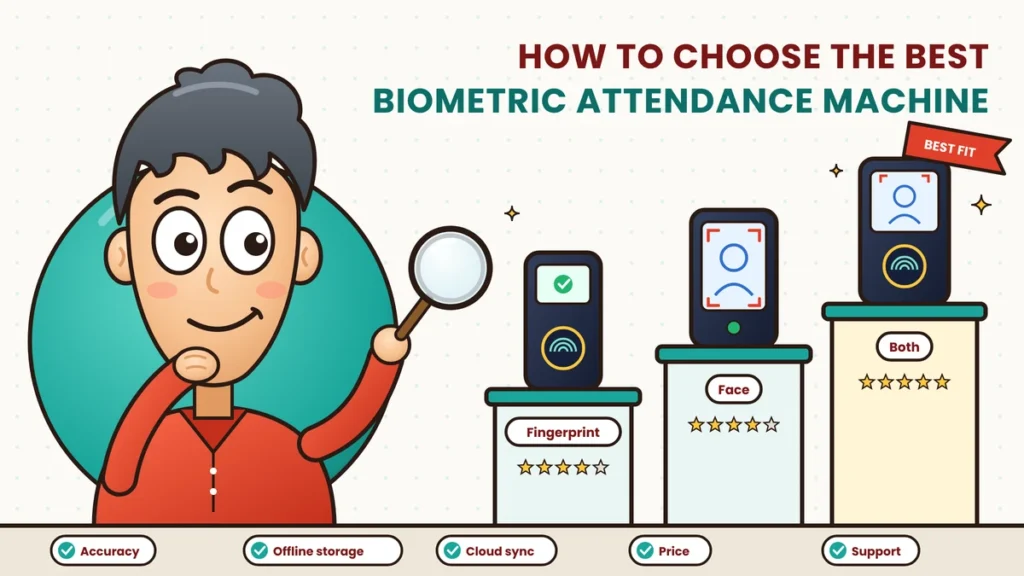
Quick answer: To choose the best biometric attendance machine, start with your workplace: team size, number of entrances, shifts, environment and budget. Then pick the right method (fingerprint, face or both), and check the features that matter most: recognition speed, liveness detection, user and log capacity, Wi-Fi or 4G connectivity, offline storage, power backup, build quality and, above all, smooth connection to cloud attendance software. Finally, compare total cost over three years and confirm after-sales support in your city.
Why Choosing the Right Machine Matters
A biometric machine sits at the front door of your business and is used by every employee, every day. When it works well, nobody notices it. When it doesn’t, everyone does.
The wrong machine can cause:
- Long queues at shift start because recognition is slow or keeps failing.
- Missed or wrong punches that lead to salary disputes.
- Data loss when the internet or power goes out.
- Extra manual work when the machine doesn’t connect properly to software.
- Wasted money when you have to replace it within a year.
A little homework before buying saves a lot of trouble later. You can find more background on devices in our biometric attendance guides.
Step 1: Understand Your Workplace First
Before looking at any model, answer these questions about your business. They decide almost everything else.
- How many employees will use the machine? Include future growth for the next two to three years.
- How many people arrive at the same time? A team of 200 arriving across an hour is different from 200 arriving in ten minutes.
- How many entrances and locations do you have? Each entry point and branch may need its own machine.
- Do you run shifts or night duty? This affects how the software must handle punches.
- What’s the environment like? An air-conditioned office, a dusty factory floor, an outdoor gate or a kitchen all need different things.
- What kind of work do people do? Manual workers often have worn or dirty fingers, which affects fingerprint reading.
- Do you have field or remote staff? They’ll need mobile check-in alongside the machine.
- What’s your budget, both upfront and over the next few years?
Write the answers down. Share them with every vendor you talk to, and judge their suggestions against your real needs, not their sales pitch.
Before vs Now: Old Attendance Machines vs Modern Ones
| Area | Before (older standalone machines) | Now (modern cloud-ready machines) |
|---|---|---|
| Identification | Fingerprint only, sometimes card | Fingerprint, face, card, PIN or a mix |
| Fake attempts | Easy to fool with basic sensors | Liveness detection rejects photos and fake fingers |
| Getting data out | USB pen drive or cable to one PC | Automatic sync to cloud over Wi-Fi, LAN or 4G |
| Internet cuts | Not relevant, data stuck in the machine | Stores punches offline and syncs later |
| Multiple branches | Each machine managed separately | All machines in one dashboard |
| Rules and calculations | Done by hand in Excel | Done automatically by connected software |
| Employee view | None | Employees see their own punches in an app |
| Updates | Rare or never | Regular firmware and software updates |
| Power cuts | Machine stops | Built-in battery or UPS keeps it running |
| Payroll | Data typed in again | Exported directly to payroll |
Step 2: Choose the Right Identification Method
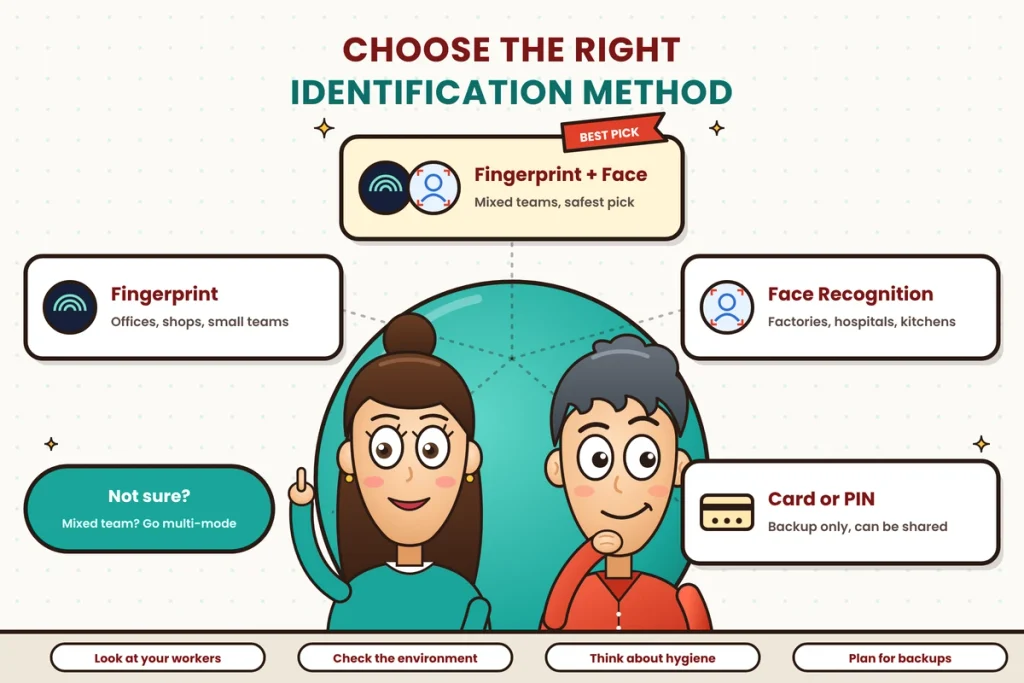
The first big decision is how the machine will recognise people.
- Fingerprint: affordable, accurate and familiar. Best for offices, shops and small businesses where hands are usually clean and dry.
- Face recognition: contactless and quick at busy entrances. Better for factories, construction, hospitals and food businesses where fingers may be dirty, worn or gloved.
- Multi-mode (fingerprint plus face): gives every employee a working option and acts as a backup if one method fails for someone.
- Card or PIN as a backup: useful for the rare employee who can’t use either biometric method, but not ideal as the main method because cards and PINs can be shared.
If your team is mixed, a multi-mode machine is usually the safest choice.
Step 3: Check the Features That Really Matter
Spec sheets can be long and confusing. These are the features worth paying attention to.
1. Recognition speed
Ask how long it takes to identify one person. Around a second is normal for good machines. Slow recognition multiplied by a hundred people at shift start becomes a long queue.
2. Sensor and camera quality
For fingerprint machines, ask whether the sensor handles dry, wet or slightly worn fingers. For face machines, ask whether there’s an infrared camera, which works in low light and is harder to trick.
3. Liveness detection
This checks that a real person is in front of the machine, not a photo, a video or a fake fingerprint. Without it, proxy attendance can creep back in. Treat it as a must-have for face recognition.
4. User and log capacity
Every machine has a limit on how many employees it can store and how many punches it can keep in memory. Make sure the capacity comfortably covers your current team plus growth.
5. Connectivity
Check how the machine sends data:
- Wi-Fi for most offices.
- LAN cable for stable connections in larger buildings.
- 4G SIM for sites without reliable Wi-Fi, such as construction sites, warehouses and remote branches.
More options give you more flexibility.
6. Offline storage and automatic sync
The internet will go down at some point. A good machine keeps recording punches and sends them to the software once the connection returns, without anyone doing anything.
7. Connection to attendance software
This is the most important feature, and the one buyers most often ignore. A machine that collects punches but doesn’t connect smoothly to good software leaves HR doing the calculations by hand. Ask exactly which software it works with, how data moves and how long it takes to appear.
8. Power backup
Power cuts are common in many places. A built-in battery or a small UPS keeps the machine working through short outages.
9. Build quality for your environment
Offices need little more than a neat, wall-mounted design. Factories, warehouses and outdoor gates need machines that handle dust, heat and the odd splash of water. Ask about the device’s dust and water resistance rating if it will be used in tough conditions.
10. Display, sounds and language
A clear screen, a beep or voice confirmation and support for local languages help employees know their punch has been recorded. This reduces “did it work?” moments and repeat punches.
11. Data security
Biometric data is personal data. Choose machines and software that store fingerprint or face templates in encrypted form, limit who can access them and let you delete data when an employee leaves. Plan to inform employees and take their consent before you start.
12. Door access option
Some machines can also open a door lock when an employee is recognised. You may not need this today, but it’s useful if you want to control entry to an office, server room or store room later.
Step 4: Remember the Software Matters as Much as the Machine
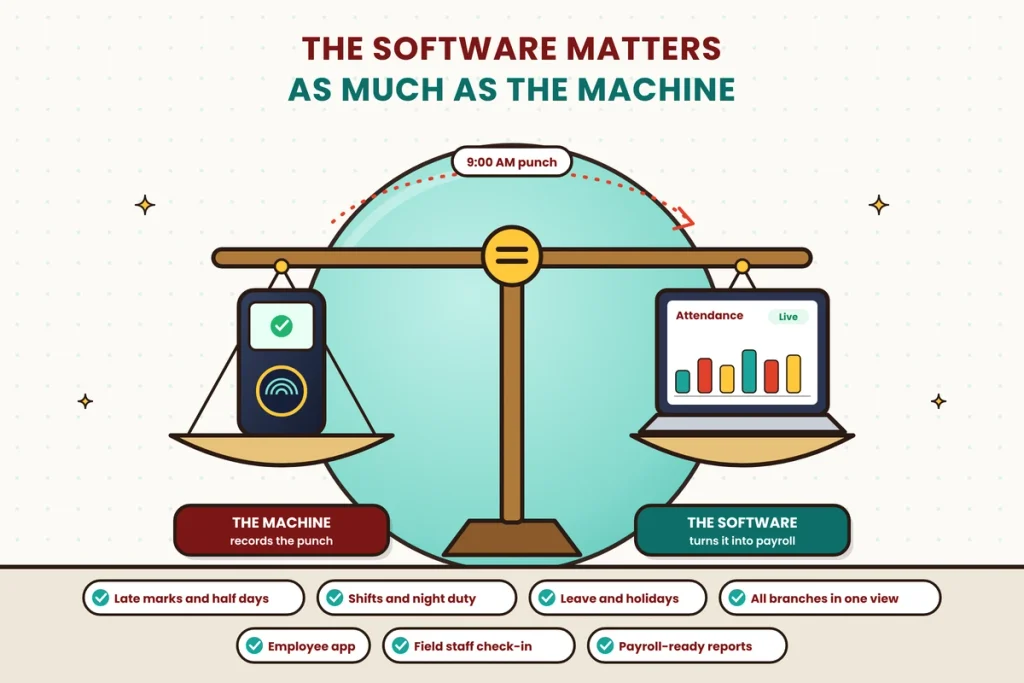
The machine records the punch. The software turns that punch into something useful. Before you buy, check that the software can:
- Apply your office timings, grace time, late marks and half days.
- Handle shifts, night duty and rotating weekly offs.
- Link leave, holidays and comp offs to attendance.
- Show all branches and devices in one dashboard.
- Let employees see their records and request corrections from their phone.
- Support mobile check-in for field and remote staff.
- Create monthly reports ready for payroll.
Our attendance management guides explain how to set up these rules, and our payroll and working hours section covers how attendance data feeds salary.
Step 5: Ask About After-Sales Support
A machine is only as good as the help you get when something goes wrong. Before you buy, ask:
- Warranty: how long, and what does it cover?
- Local service: is there a technician in your city, and how quickly can they visit?
- Replacement: will they lend you a machine while yours is being repaired?
- Updates: do they provide firmware and software updates?
- Training: will they help register employees and train HR?
- Support channels: phone, WhatsApp, email or a ticket system, and what are the support hours?
Talk to one or two existing customers if you can. Their experience will tell you more than any brochure.
Understanding the Real Cost
Don’t compare machines only on the price tag. Look at the total cost over three years, including:
- The machine itself, for each entry point and branch.
- Installation and setup, including mounting, wiring and registration.
- Software subscription, usually charged per employee or per month.
- Annual maintenance or extended warranty, if needed.
- Accessories, such as a UPS, a stand or a weather cover.
A slightly more expensive machine with good software, offline sync and reliable support often costs less over three years than a cheap one that needs constant fixing and manual work.
How Many Machines Do You Need?
Think about your busiest few minutes, not your total headcount. Here’s a simple way to work it out:
- Count how many people arrive in your busiest ten minutes.
- Assume each punch takes around two seconds, including stepping up and moving away.
- Work out how long the line would take with one machine.
For example, if 150 people arrive in ten minutes and each takes two seconds, one machine needs about five minutes to process everyone, which is manageable. If 400 people arrive in the same window, that becomes more than thirteen minutes, so a second machine or a faster face recognition device makes sense.
Also plan one machine for each separate entrance and each branch.
Where to Install the Machine
- Place it at the main staff entrance, where everyone naturally passes.
- Mount it at a comfortable height for most people.
- Keep face recognition machines away from direct sunlight or a bright window behind the person.
- Protect machines at outdoor gates from rain and dust with a cover or shade.
- Make sure there’s a power point nearby and a stable network signal.
- Leave enough space in front for a short line without blocking the doorway.
Should You Buy Online or From a Local Dealer?
Both can work, but they suit different buyers.
- Buying online is convenient and often a little cheaper. It works well if you’re comfortable mounting the machine, registering employees and connecting it to software yourself, or if your software provider guides you through setup.
- Buying from a local dealer usually costs a bit more, but you get installation, on-site training and a person you can call when something goes wrong. For factories, multi-branch businesses and teams without in-house IT help, this support is often worth the extra cost.
Whichever route you choose, check that the warranty is valid for your purchase channel, that the machine works with your attendance software and that someone will actually help you if it stops working in month six.
Red Flags When Buying
Be careful if a vendor:
- Can’t clearly explain how the machine connects to software.
- Says the machine never needs internet or never needs updates.
- Offers a face recognition machine without liveness detection.
- Has no local service support or refuses to share customer references.
- Pushes a much bigger or more expensive setup than your team needs.
- Avoids questions about how biometric data is stored and protected.
Your Buying Checklist
Before you sign, tick off each of these:
- The method suits your workers and environment.
- Recognition is fast enough for your busiest time.
- Liveness detection is included.
- Capacity covers your team and growth.
- It connects through Wi-Fi, LAN or 4G as needed.
- It stores punches offline and syncs automatically.
- It works smoothly with your attendance software.
- It has power backup.
- It’s built for your environment.
- Data is encrypted and you have a consent process.
- Warranty and local support are clear.
- You’ve compared total cost over three years.
Final Thoughts
The best biometric attendance machine isn’t the one with the longest feature list or the lowest price. It’s the one that fits the people who use it and the place where it’s installed. That’s why the smartest buyers start with their own workplace, not the product catalogue.
Know your team size, peak arrival time, environment and budget. Choose the right method for your workers, check the features that truly matter, and give the software and after-sales support as much weight as the hardware. Do that, and the machine at your door will quietly do its job every day, giving you attendance records you can trust and payroll that adds up.
Pair Your Biometric Setup with Attendi
Attendi is an attendance management system built for Indian businesses. It brings face recognition, QR code attendance and field attendance together in one platform, with working hours, leave and payroll data in the same place. Rules for shifts, late marks, half days and overtime are applied automatically, every location shows up in one live dashboard, and employees can check their own records from their phone. If you’re planning to buy biometric machines or already use them, talk to the Attendi team about how they can work with your setup.
Frequently Asked Questions
Which biometric attendance machine is best for a small office?
For a small office, a fingerprint machine with Wi-Fi, offline storage and cloud software is usually enough. If hygiene or speed matters more, choose a face recognition machine with liveness detection.
What features should I look for in a biometric attendance machine?
Look for fast recognition, liveness detection, enough user and log capacity, Wi-Fi or 4G connectivity, offline storage with automatic sync, power backup, suitable build quality and smooth connection to attendance software.
Is a face recognition machine better than a fingerprint machine?
Face recognition is contactless and better for workers with dirty or worn fingers. Fingerprint is cheaper and works well where hands are clean. Many businesses choose a machine that supports both.
How many biometric machines does my business need?
Plan around your busiest ten minutes of arrivals and your number of entrances and branches. If one machine would create a long line, add another or choose a faster face recognition device.
Does a biometric machine need internet?
It needs internet to send data to cloud software, but good machines keep working offline and sync punches automatically when the connection returns.
What is liveness detection in a biometric machine?
Liveness detection checks that a real person is in front of the machine, so it can reject photos, videos and fake fingerprints used to cheat attendance.
How long does a biometric attendance machine last?
A good-quality machine that’s installed properly and maintained regularly can last several years. Build quality, environment and after-sales support make a big difference.