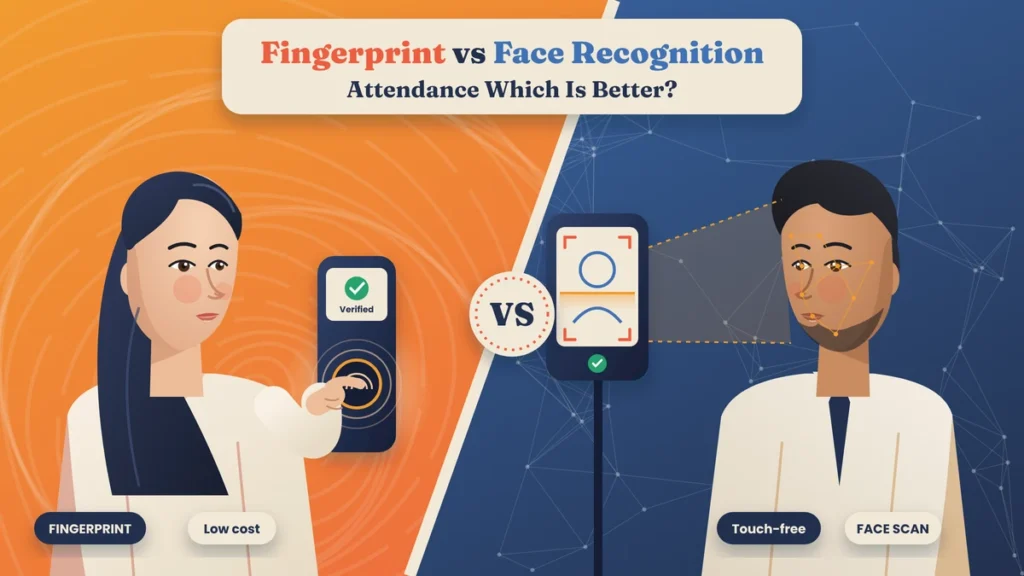
Most business owners who decide to move to biometric attendance hit the same question within the first five minutes of talking to a vendor: fingerprint or face?
Both are fast. Both stop proxy attendance. Both send clean data to attendance software. But they behave very differently in real workplaces. A fingerprint machine that works perfectly in an air-conditioned office can struggle at a construction site where hands are rough and dusty. A face recognition device that’s great in a hospital can have trouble at an open gate with harsh afternoon sun behind the person.
This guide compares fingerprint and face recognition attendance point by point, in plain language, so you can decide which one fits your workplace, or whether a device that supports both is the smarter buy.
Quick answer: Fingerprint attendance is cheaper, very accurate and works well in offices, shops and small businesses where hands are usually clean and dry. Face recognition attendance is contactless, faster at busy entrances and better for factories, construction sites, hospitals and food units where fingers may be dirty, worn or gloved. If your team is mixed, a device that supports both fingerprint and face is usually the best choice.
How Fingerprint Attendance Works
Each employee is registered once by placing a finger on the sensor a few times. The device picks out key points in the fingerprint, such as where ridges end or split, and saves them as a code called a template.
At every check-in, the employee places the same finger on the sensor. The device reads it, compares it with the stored template and records the time if it matches. The whole process usually takes about a second.
Most attendance devices use either optical sensors, which take a light-based image of the finger, or capacitive sensors, which read tiny electrical differences between ridges. You can learn more about device types in our biometric attendance guides.
How Face Recognition Attendance Works
Each employee is registered by standing in front of the device while its camera captures their face. The device measures features such as the distance between the eyes, the shape of the nose and the line of the jaw, and saves them as a template.
At every check-in, the employee simply looks at the device. It captures their face, compares it with stored templates and records the time. Nothing has to be touched.
Basic devices use a normal camera. Better devices add an infrared camera, which helps them work in low light and makes it much harder to fool them with a photo or a video on a phone. This check that a real person is present is called liveness detection.
Before vs Now: Register, Fingerprint and Face Recognition
| Area | Before (register or card) | Now with fingerprint | Now with face recognition |
|---|---|---|---|
| How attendance is marked | Signature or card swipe | Finger on a sensor | Look at a camera |
| Proxy attendance | Common | Very hard | Very hard |
| Touch needed | Pen or card | Yes, shared sensor | No |
| Speed per person | Slow | About 1 second | About 1 second, no need to stop and press |
| Works with dirty or worn fingers | Yes | Often struggles | Yes |
| Works with helmets or masks | Yes | Yes | Depends on the device |
| Affected by lighting | No | No | Yes, especially strong backlight |
| Upfront cost | Very low | Lower | Higher |
| Maintenance | None | Clean the sensor often | Keep the camera clean and well placed |
| Data sent to software | Typed by hand | Automatic | Automatic |
Fingerprint vs Face Recognition: 12 Points Compared

1. Accuracy and proxy prevention
Both methods identify the actual person, so proxy attendance almost disappears with either. Good fingerprint devices are very accurate in normal conditions. Good face devices with infrared and liveness detection are equally reliable. Cheap face devices without liveness checks can sometimes be fooled by a photo, so avoid them.
Better choice: a tie, as long as you buy a good-quality device.
2. Speed at busy times
Fingerprint needs the employee to stop, place a finger and sometimes try again if it doesn’t read. Face recognition can identify someone as they pause briefly in front of the camera, which keeps lines moving faster when a whole shift arrives at once.
Better choice: face recognition for large teams and shift changes.
3. Hygiene
Fingerprint sensors are touched by everyone, many times a day. Face recognition is completely contactless. Since the pandemic, many offices, hospitals and food businesses have preferred contactless options.
Better choice: face recognition.
4. Workers with worn, dirty or wet fingers
People who do heavy manual work, construction, cleaning, chemical handling or cooking often have fingerprints that are worn, cut, oily or wet. Fingerprint sensors may fail to read them, which means repeated attempts and frustrated workers. Face recognition doesn’t depend on hands at all.
Better choice: face recognition.
5. Lighting and environment
Fingerprint devices don’t care about light. Face recognition can struggle when strong sunlight is directly behind the person, in very dim corners or at open gates. Infrared cameras help a lot, and careful placement solves most problems. Dust can affect both, so devices at outdoor or dusty sites need regular cleaning either way.
Better choice: fingerprint for outdoor gates and difficult lighting, unless you choose a face device with good infrared support and place it carefully.
6. Masks, helmets, glasses and beards
Fingerprint isn’t affected by anything a person wears on their head or face. Face recognition handles glasses, beards and small changes in appearance well, and many newer devices can recognise people wearing masks, though accuracy can drop. Safety helmets that cover the forehead can sometimes cause trouble on basic devices.
Better choice: fingerprint where full face coverings are common. Otherwise, test a face device with your actual workers before buying.
7. Cost
Fingerprint devices are generally cheaper than face recognition devices with similar features. For a small office with one entrance and a tight budget, this matters. The gap has narrowed over the years, but it still exists.
Better choice: fingerprint.
8. Setting up and registering employees
Both are quick to set up. Fingerprint registration takes a few scans of one or two fingers. Face registration takes a few seconds in front of the camera. Registering two fingers per person is a good habit with fingerprint, so there’s a backup if one finger gets injured.
Better choice: a tie.
9. Day-to-day maintenance
Fingerprint sensors need regular cleaning because sweat, dust and oil build up and affect reading. Face devices need the camera lens kept clean and the lighting around them kept steady. Both need power backup and a stable mounting.
Better choice: face recognition, slightly, because there’s less wear on a camera than on a sensor touched hundreds of times a day.
10. Twins and look-alikes
Fingerprints are different even for identical twins. Face recognition has improved a lot, but very similar-looking people, especially identical twins, can occasionally confuse basic devices.
Better choice: fingerprint, though this rarely matters in practice.
11. How employees feel about it
Some employees are uneasy about a camera recognising their face. Others dislike touching a shared sensor. Clear communication about why you’re using it, what data is stored and how it’s protected matters more than the method itself.
Better choice: depends on your team. Explain the system well either way.
12. Storage and offline working
Most modern devices of both types can store thousands of templates and punches and keep working when the internet is down, syncing later. Check the capacity against your team size and growth plans.
Better choice: a tie for good-quality devices.
Quick Summary
Choose fingerprint if:
- You have a small or medium office or shop with a tight budget.
- Employees mostly do desk or light work with clean, dry hands.
- The device will be outdoors or in tricky lighting.
- Face coverings are common in your workplace.
Choose face recognition if:
- Many people arrive at once and queues are a problem.
- Hygiene matters, such as in hospitals, clinics, kitchens and food units.
- Workers have worn, dirty, wet or gloved hands.
- You want a touch-free experience for staff and visitors.
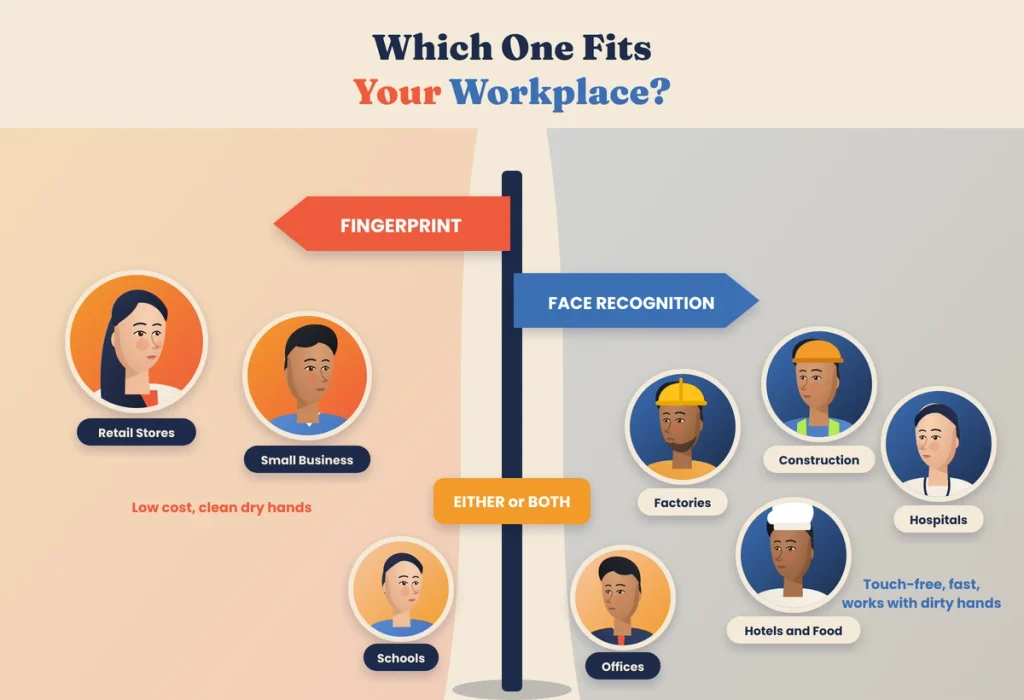
Which One Fits Your Workplace?
Corporate offices
Either works well. Face recognition feels more modern and handles morning rush better, while fingerprint keeps costs down. Many offices pick face recognition for the main entrance.
Factories and warehouses
Face recognition is usually the better fit. Hands are often dirty or gloved, shifts arrive in large groups and speed matters. Choose a device with infrared for poorly lit areas.
Construction sites
Face recognition, because worn and dusty fingers are common. Protect the device from rain and direct sun, and consider a mobile app check-in for small temporary sites.
Hospitals and clinics
Face recognition, for hygiene and speed during shift changes.
Restaurants, hotels and food processing units
Face recognition, since hands are often wet, greasy or gloved, and hygiene rules make contactless check-in a better choice.
Retail stores
Fingerprint works well for small stores with a few staff. Larger stores or chains may prefer face recognition at the staff entrance.
Schools and colleges
Either works for staff. Fingerprint keeps costs low across many buildings. Face recognition is faster at the main gate during peak arrival.
Small businesses and startups
A fingerprint is usually enough and costs less. If your team includes field or remote staff, combine it with mobile check-in.
Why Not Both? Multi-Mode Devices
Many modern devices support fingerprint and face recognition together, often with a card or PIN as a backup too. This is useful when:
- Some employees have trouble with fingerprints and others prefer not to use face recognition.
- You want a backup if one method fails for someone on a given day.
- Your workforce mixes office staff and manual workers.
Multi-mode devices cost a little more, but they remove most of the downsides of choosing just one method. Whatever device you choose, make sure every punch flows into one attendance system with the same rules for shifts, late marks, leave and overtime. Our attendance management guides explain how to set this up.
A Simple Way to Test Before You Decide
If you’re still unsure, don’t decide from a brochure. Ask your vendor for a demo device and run a short trial at your own entrance for a few days.
- Pick a mix of employees: include office staff, manual workers, people who wear glasses, helmets or head coverings, and anyone who has had trouble with fingerprint machines before.
- Test at the real time and place: the morning rush, the evening shift change and the exact spot where the device will be mounted, with its real lighting.
- Count the failed attempts: note how often someone has to try two or three times. A few failures a day across a large team adds up to long queues and unhappy workers.
- Ask employees how it felt: a short chat after the trial tells you a lot about whether people will accept the system.
A few days of real use will show you more than any comparison chart, including this one.
What About Employee Data?
Fingerprint templates and face templates are both personal data. India’s Digital Personal Data Protection Act, 2023 expects businesses to collect personal data for a clear purpose, with consent, and to keep it secure. In practice, that means telling employees what is stored and why, taking their consent, using the data only for attendance, choosing devices and software that store templates in encrypted form and deleting the data when it’s no longer needed. These steps apply equally to fingerprint and face recognition, so they shouldn’t decide which one you pick, but they should be part of your rollout plan.
Questions to Ask Before You Buy
- Does the face device have infrared and liveness detection?
- How does it perform in strong sunlight or low light?
- Can it recognise people wearing masks or helmets?
- How many templates and punches can it store?
- Does it keep working offline and sync later?
- Does it connect to cloud attendance software automatically?
- Can it support both fingerprint and face if needed?
- How is biometric data stored and protected?
- What warranty and service support is available in your city?
- Can you test it with your own employees before buying?
Mistakes to Avoid
- Buying the cheapest face device. Without infrared and liveness checks, it may accept photos and struggle in poor light.
- Ignoring your actual workers. A fingerprint device in a kitchen or construction site will cause daily frustration.
- Poor placement. Don’t mount a face device facing a bright window or outdoor glare. Keep fingerprint sensors away from rain and dust.
- Registering only one finger. Always register a backup finger.
- Skipping consent. Biometric data is personal data. Tell employees what you collect and why, take their consent and keep the data secure.
- Treating the device as the whole system. The software that applies your rules and feeds payroll matters as much as the hardware. Read more about this link in our payroll and working hours section.
Final Thoughts
There’s no single winner between fingerprint and face recognition. Fingerprint is affordable, accurate and dependable in offices, shops and places where hands stay clean. Face recognition is faster, touch-free and far kinder to workers whose hands tell the story of hard physical work.
The right choice depends on who walks through your door every morning. Look at your workers’ hands, your entrance lighting, how many people arrive at once and how much hygiene matters. If your answers point in both directions, a multi-mode device gives you the best of both. Either way, connect it to good attendance software, explain it clearly to your team and protect their data, and you’ll have attendance records you can trust.
Fingerprint and Face Attendance with Attendi
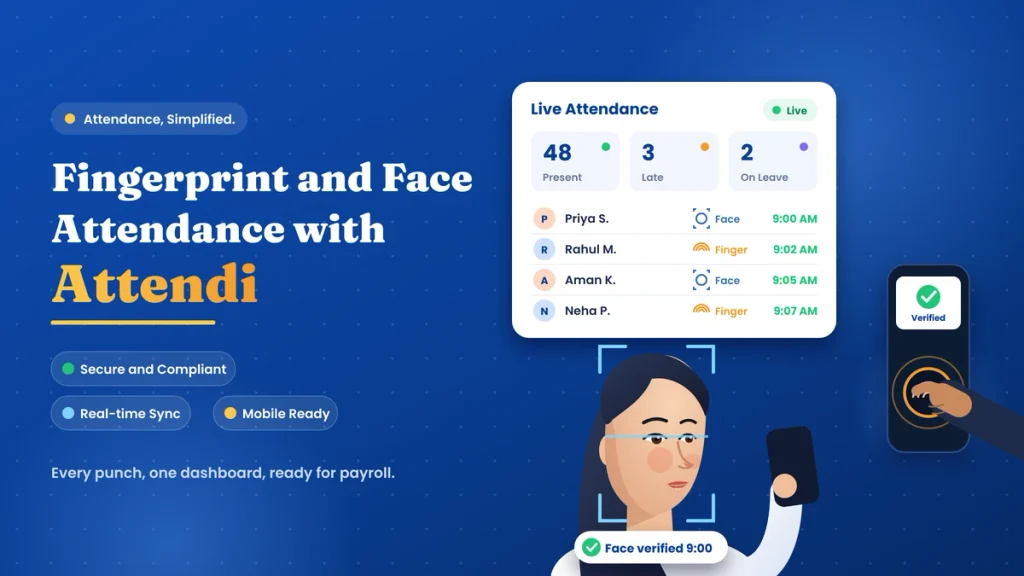
Attendi works with both fingerprint and face recognition devices, so you can choose the right method for each location or even use both together. Every punch reaches one cloud dashboard, where shifts, late marks, half days, leave and overtime are calculated automatically. Devices keep working when the internet is down and sync later, employees can check their own records from their phone, and HR gets clean reports ready for payroll. If you’re deciding between fingerprint and face recognition, explore Attendi and see how it fits your workplace.
Frequently Asked Questions
Which is more accurate, fingerprint or face recognition attendance?
Both are highly accurate when you use good-quality devices. Fingerprint is very reliable in normal conditions, while face recognition with infrared and liveness detection is equally dependable and handles worn or dirty fingers better.
Is face recognition attendance better for factories?
Usually, yes. Factory workers often have dirty, oily or gloved hands, and many arrive at the same time. Face recognition is contactless and faster for large groups.
Can face recognition attendance be fooled by a photo?
Basic devices without liveness detection can sometimes be fooled. Devices with infrared cameras and liveness checks are designed to reject photos and videos.
Does face recognition work with masks?
Many newer devices can recognise employees wearing masks, but accuracy may be lower. Test the device with your team if masks are common in your workplace.
Which is cheaper, fingerprint or face attendance?
Fingerprint devices are generally cheaper. Face recognition devices cost more but bring contactless check-in and better performance for manual workers.
What if an employee’s fingerprint doesn’t scan?
Register a second finger as a backup, keep the sensor clean, or use a device that also supports face recognition, card or PIN for that employee.
Can one device support both fingerprint and face recognition?
Yes. Many modern multi-mode devices support both, often with card or PIN as an extra backup, which suits workplaces with mixed types of workers.