Calling out forty names at the start of every period takes a teacher five to ten minutes. Across six or seven periods a day, that’s close to an hour of teaching time spent on roll call. In colleges, it’s even trickier: a friend answers “present” from the back row, and nobody can tell. Meanwhile, the office struggles to track which teachers came in late, who left early, and who was on leave.
Biometric attendance systems are helping schools and colleges across India fix both problems. Staff mark attendance in a second at the gate. Colleges get accurate records for exam eligibility. Administrators see every campus on one screen.
But schools and colleges are not like offices. Many students are minors, and their data needs extra care. This guide explains how biometric attendance works on campus, where it fits best, where it needs caution, and how to set it up the right way.
Quick answer: A biometric attendance system for schools and colleges records attendance using fingerprint or face recognition. It works very well for teaching and non-teaching staff and for college students with their consent, giving accurate records, saving class time, and stopping proxy attendance. For school students, who are usually under 18, use extra care: get verifiable parental consent, collect only what’s needed, or use simpler options like QR codes or teacher-marked attendance in an app. Choose a system with timetable support, parent alerts, leave and holiday management, and reports for exam eligibility.
Why Attendance Is Harder in Schools and Colleges
Educational institutions have attendance challenges that offices don’t.
- Two very different groups: staff, who are employees, and students, who are learners and often minors.
- Period-wise attendance: colleges often need attendance for every lecture, not just once a day.
- Minimum attendance rules: many universities expect students to meet a minimum attendance, often 75 percent, before they can sit for exams.
- Large numbers arriving together: hundreds of students and staff come through the gate within a short window.
- Multiple buildings and campuses: labs, libraries, hostels and branches all need coverage.
- Parents want updates: schools are often expected to inform parents when a child is absent.
- Staff payroll depends on attendance: late arrivals, half days and leave for teachers and support staff affect salary.
Manual registers and roll calls struggle with all of this. You can read more about biometric options in our biometric attendance guides.
Staff vs Students: Where Biometrics Fit Best
This is the most important decision for any institution.
Teaching and non-teaching staff
Biometric attendance is an excellent fit. Teachers, lab assistants, office staff, drivers, security and housekeeping are employees, just like in any office. A device at the staff entrance or staff room gives accurate in and out times, ends proxy entries and feeds clean data to payroll. Inform staff, take their consent, and keep their data secure.
College students
Most college students are adults, and biometric attendance can work well, especially for campus entry, library access and lab sessions. It helps colleges maintain accurate records for minimum attendance rules and stops students marking attendance for absent friends. Students should be told how their data is used and give consent, and the college should offer an alternative where needed.
School students
School students are usually under 18. India’s data protection law treats children’s personal data with extra care and generally requires verifiable consent from a parent or guardian before processing it. It also discourages tracking or monitoring children beyond what’s genuinely needed.
For most schools, that means one of two approaches:
- Use biometrics only with clear, verifiable parental consent, collect the minimum data needed, and protect it carefully.
- Use simpler methods for students, such as a QR code on the ID card scanned at the gate, an RFID card, or a teacher marking attendance in an app, and keep biometric attendance for staff.
Many schools find the second approach simpler and less risky. Our QR code attendance guides explain how QR-based student attendance works.
Before vs Now: Attendance in Schools and Colleges
| Area | Before (registers and roll call) | Now (biometric and digital attendance) |
|---|---|---|
| Staff check-in | Signature in a staff register | Fingerprint or face at the staff entrance |
| Proxy entries | Signing for colleagues, answering for friends | Very difficult with identity checks |
| Class time on roll call | Five to ten minutes per period | Seconds, or marked automatically |
| Late arrivals | Noted inconsistently | Exact time recorded |
| Parent updates | Phone calls or diary notes | Automatic SMS or app alerts |
| Minimum attendance tracking | Counted by hand before exams | Live percentage for every student |
| Leave and holidays | Separate registers | Linked to attendance |
| Multiple campuses | Records collected at month-end | One dashboard for all campuses |
| Staff payroll | Calculated from registers | Data flows into salary |
| Records for inspections | Bulky files | Searchable digital history |
How It Works on Campus
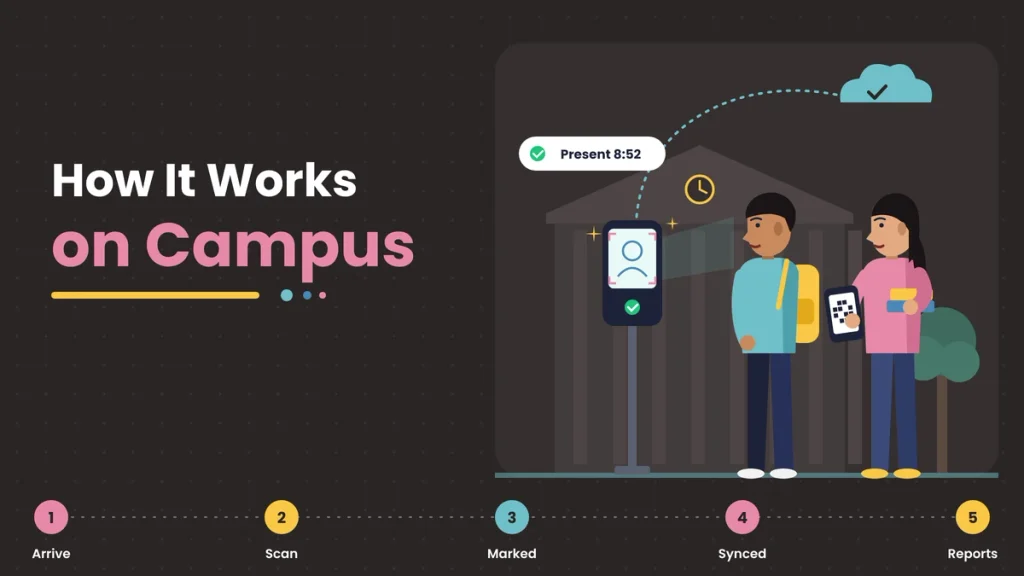
A typical setup looks like this:
- Staff entrance: a fingerprint or face device records teacher and staff arrival and departure.
- Main gate: a face device or QR scanner records student entry, depending on your policy.
- Classrooms or labs (optional): devices or a teacher’s app record period-wise attendance in colleges.
- Hostels and libraries (optional): devices track entry where needed, with clear rules.
- Cloud software: collects every punch, applies timetable and attendance rules, sends parent alerts and creates reports.
- Mobile app: lets teachers mark or confirm attendance, apply for leave and view their records.
Benefits for Schools
More teaching time
When students are marked at the gate or by a quick scan, teachers don’t spend the first ten minutes of class calling names.
Accurate staff attendance
Teacher punctuality is recorded fairly and consistently, which matters for both discipline and payroll.
Faster parent communication
When a student is marked absent, the system can send an SMS or app notification to parents the same morning, which improves safety and accountability.
Better safety at the gate
A clear digital record of who entered the campus and when helps schools respond quickly if a child is missing from class, and gives management a reliable record if any question comes up later. Combined with parent alerts, it closes the gap between a child leaving home and the school confirming they arrived.
Simple monthly reports
Class-wise and student-wise attendance reports are ready in seconds for meetings, inspections, and report cards.
Linked leave and holidays
School holidays, exam days, and staff leave are set once in the calendar and reflected automatically. Our leave and holiday management section covers how to set these up.
Benefits for Colleges and Universities
No more proxy in lectures
Students can’t answer for absent friends when attendance requires their own fingerprint, face or personal scan.
Live attendance percentage
Students, faculty, and the exam department can see each student’s attendance percentage at any time, so shortfalls are spotted early, not on the day exam forms are filled.
Period-wise and subject-wise records
When linked to the timetable, attendance can be recorded per lecture, per subject, and per faculty member.
Faculty and staff management
Professors, lab staff, administrative staff, and support teams are all tracked fairly, with workload, leave, and payroll in one place.
Multi-campus visibility
Universities and college groups can see every campus, department, and course in one dashboard.
A Day on Campus with Digital Attendance
Here’s what a normal day can look like once the system is in place.
- 7:45 am: teachers and support staff arrive and check in at the staff entrance in a second each. Anyone arriving after the grace time is marked late automatically.
- 8:00 am: students enter through the main gate. Younger students scan their QR ID cards, and college students check in with face recognition.
- 8:30 am: the system sends a short message to parents of students who haven’t arrived.
- Through the day: in colleges, lecture attendance is recorded period by period and added to each student’s running percentage.
- 3:30 pm: staff check out, and their working hours are saved for payroll.
- Month end: the principal or registrar opens one dashboard and sees class-wise, department-wise, and staff-wise reports, ready for meetings and inspections.
No registers to collect, no names to call out, and no counting late into the evening.
How Many Devices Does a Campus Need?
Plan for your busiest few minutes. If several hundred students and staff arrive in a short window, one device at the gate will cause a queue. As a rough guide:
- Keep staff and student entry separate where possible.
- Add a second or third device at the main gate for large schools and colleges.
- Use face recognition at busy gates, since it’s faster than fingerprint for crowds.
- Add devices at labs, libraries, or hostels only if you genuinely need attendance there.
A short trial during a real morning rush will show you whether you need more devices.
Getting Teachers, Students, and Parents on Board
A new system works best when people understand it. Before you go live:
- Hold a short staff meeting to explain why you’re moving to biometric attendance, how it affects late marks and leave, and how their data is protected.
- Brief students in assembly or class, especially in colleges, so they know how attendance and minimum percentages will be tracked.
- Send a simple note to parents explaining the method used for students, what data is collected, and how they’ll receive absence alerts. Include the consent form where needed.
- Give everyone a contact person for questions, corrections, and concerns during the first month.
When people know what’s happening and why, they accept the change much faster.
Fingerprint or Face for Campus?
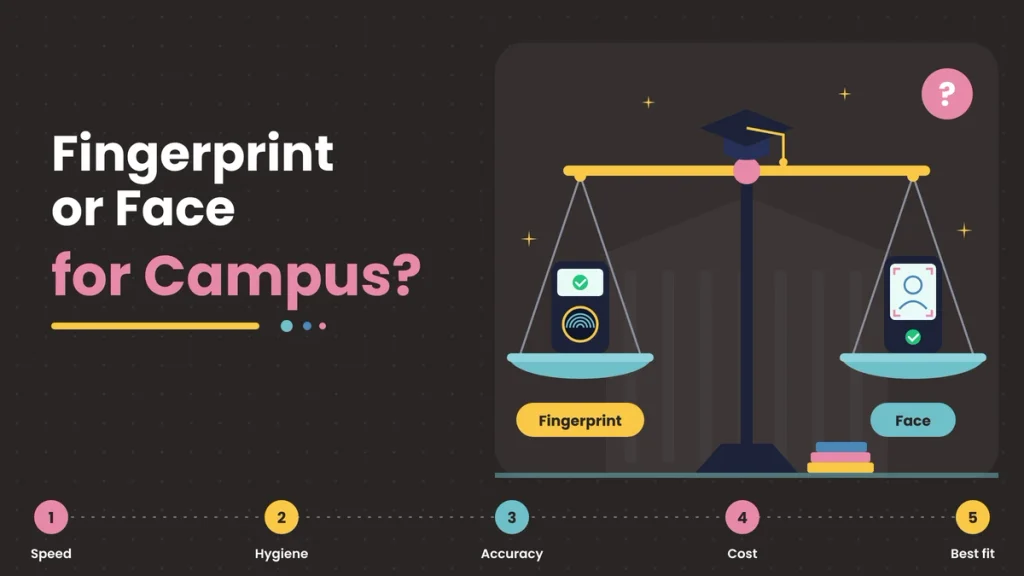
- Face recognition is contactless and quick at busy gates, which suits large student and staff numbers. Choose a device with liveness detection so photos can’t be used.
- Fingerprint is affordable and works well for staff rooms with smaller numbers.
- QR codes or cards are often the better choice for school students because they avoid collecting children’s biometric data.
Many institutions use a mix: face or fingerprint for staff, QR or cards for younger students and biometric for college students who consent.
Protecting Student and Staff Data
Educational institutions hold a lot of personal data, and biometric data needs special care.
- Collect only what you need. If a QR card works for students, you may not need their biometrics at all.
- Get proper consent. Staff and adult students should give consent themselves. For anyone under 18, get verifiable consent from a parent or guardian.
- Avoid unnecessary tracking. Record attendance, not every movement around campus.
- Store data securely. Use systems that keep templates encrypted and limit access to authorised staff.
- Delete data when it’s no longer needed, such as after a student graduates or a staff member leaves and your record period ends.
Features to Look For
- Fingerprint, face and QR support in one system.
- Timetable and period-wise attendance for colleges.
- Automatic SMS or app alerts to parents.
- Live attendance percentage for each student.
- Staff shifts, late marks, half days and overtime.
- Leave and holiday calendar for staff and students.
- Multi-campus dashboard.
- Offline storage and automatic sync.
- Reports for inspections, exam eligibility and payroll.
- Strong data security and easy data deletion.
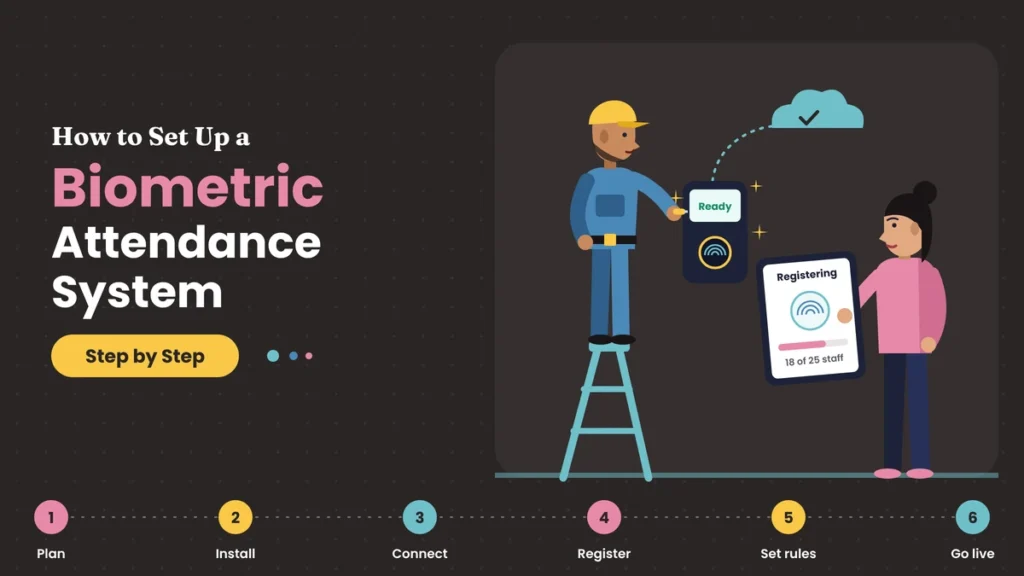
How to Set It Up
- Decide your policy: biometric for staff, and which method for students.
- Map your entry points: staff entrance, main gate, labs, library and hostels.
- Choose devices and software that support your mix of methods.
- Set rules: school or college timings, periods, grace time, late marks, holidays and leave.
- Inform and take consent from staff, students and parents as needed.
- Register staff and students in batches, class by class.
- Run a pilot with one department or a few classes for a week or two.
- Roll out fully and retire paper registers.
- Review reports weekly in the first month and fix issues quickly.
Common Mistakes to Avoid
- Collecting children’s biometrics without proper parental consent.
- Using one device for an entire school gate at peak time, causing long queues.
- Ignoring period-wise needs in colleges and tracking only daily entry.
- Not informing parents and students about the system and how data is used.
- Keeping paper registers running in parallel for too long.
- Forgetting staff payroll links, so HR still calculates salaries by hand.
Final Thoughts
Roll calls, staff registers and month-end counting cost schools and colleges hours of time and plenty of arguments. A biometric attendance system gives that time back. Staff check in quickly and fairly, colleges track every lecture and every percentage, parents hear about absences the same day and administrators see every campus at a glance.
The key is to use the right method for the right group. Biometrics work brilliantly for staff and for college students who consent. For younger students, take extra care with consent and data, or use simpler options like QR codes. Get that balance right, set clear rules and roll it out step by step, and attendance stops being a daily chore and becomes a reliable record everyone can trust.
Campus Attendance with Attendi
Attendi brings face recognition, QR code attendance and field attendance together in one platform, which makes it a good fit for institutions that need different methods for staff and students. Staff attendance, working hours, leave and holidays are tracked in one place and flow into payroll, while check-ins sync in real time to a central dashboard for every campus. If you’re planning to modernise attendance at your school or college, explore Attendi and see how it can work for your institution.
Frequently Asked Questions
Is a biometric attendance system good for schools?
It’s very good for school staff. For school students, who are usually minors, use extra care with parental consent and data protection, or use simpler options such as QR codes or teacher-marked attendance.
Can colleges use biometric attendance for students?
Yes. Most college students are adults, and biometric attendance with their consent helps stop proxy attendance and track minimum attendance for exams.
Do schools need parental consent for student biometrics?
India’s data protection law generally requires verifiable consent from a parent or guardian before processing the personal data of children under 18. Check the latest rules and take legal advice for your institution.
Which is better for schools, fingerprint or face recognition?
Face recognition is faster and contactless at busy gates. Fingerprint is affordable for smaller staff groups. For younger students, QR codes or ID cards are often a better choice.
Can the system send attendance alerts to parents?
Yes. Many school attendance systems can send an SMS or app notification to parents when a student is marked absent or arrives late.
Can biometric attendance track period-wise attendance in colleges?
Yes, when the system is linked to the college timetable, attendance can be recorded for each lecture, subject and faculty member.
What happens to student data after they leave?
A responsible institution deletes biometric data once it’s no longer needed, such as after a student graduates and any required record-keeping period ends.