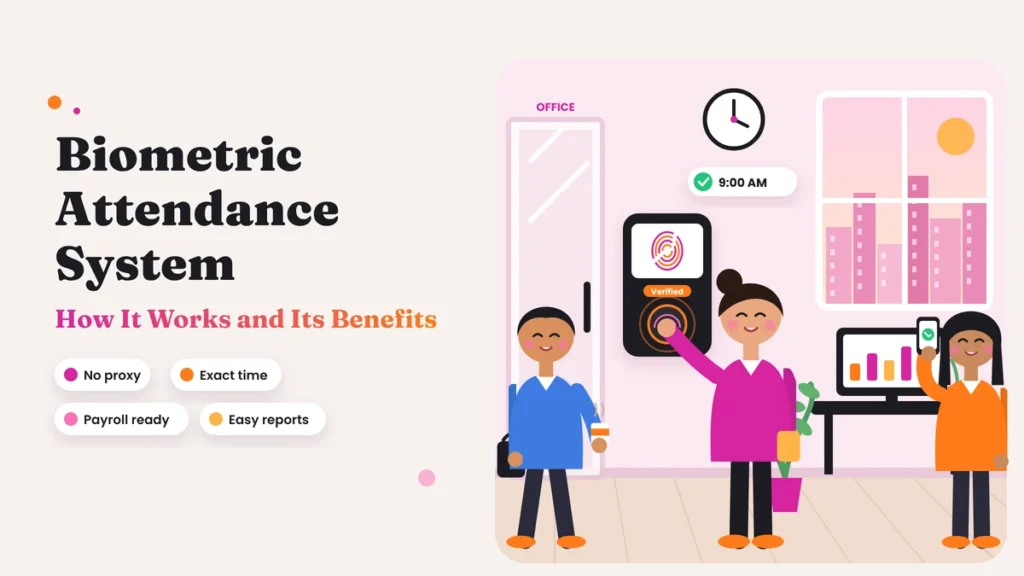
A finger touches a small glass sensor near the office door. Less than a second later, a light turns green, the machine beeps, and the screen shows “Verified 9:00 AM.” The employee walks in, and that’s it. No register, no signature, and no supervisor writing anything down.
It looks simple from the outside, but a lot happens in that one second. The machine reads the fingerprint, checks it against stored data, confirms who the person is, records the exact time and sends it to software that will later calculate late marks, overtime and salary.
This guide explains how a biometric attendance system works, step by step, in plain language. It also covers the real benefits for Indian businesses, the common problems and how to handle them, and what you should know about employee data and privacy.
Quick answer: A biometric attendance system records attendance using a part of the body, usually a fingerprint or face. Each employee is registered once. After that, every time they punch in or out, the device scans them, matches the scan with stored data, records the exact time and sends it to attendance software. The main benefits are no proxy attendance, exact working hours, less manual work for HR, accurate payroll and clear records for every employee.
What Is a Biometric Attendance System?
A biometric attendance system is a way of recording employee attendance using something unique to each person’s body. Instead of signing a register or swiping a card that anyone could carry, the employee proves who they are with a fingerprint, their face or another physical feature.
A complete system usually has two parts:
- The device: a machine fixed at the entrance or another check-in point. It scans the employee and records the time.
- The software: a program on a computer or in the cloud that collects data from the device, applies your attendance rules and creates reports for HR and payroll.
Older systems stored data only inside the machine, and someone had to download it with a cable or pen drive. Most modern systems send data automatically to cloud software, so managers can see attendance from anywhere. You can read more about devices and setups in our biometric attendance guides.
Types of Biometric Attendance Systems
Not every biometric system reads the same thing. Here are the common types used in Indian workplaces.
Fingerprint attendance
The most widely used type. The employee places a finger on a small sensor. It’s fast, familiar and affordable, which is why you’ll see it in offices, shops, factories and schools.
Face recognition attendance
A camera scans the employee’s face. Nothing has to be touched, so it’s popular in hospitals, food units and offices that care about hygiene. It also works well for workers whose fingerprints are worn from manual work.
Iris recognition
The device scans the colored part of the eye. It’s very accurate but more expensive, so it’s mostly used in high-security areas.
Palm or vein recognition
The device reads the pattern of veins in the palm. It’s hard to fake and works without contact on some models, but it’s less common in small businesses.
Combination devices
Many machines support more than one method, such as fingerprint plus face, or fingerprint plus card or PIN as a backup. This is useful when some employees can’t use one method easily.
How a Biometric Attendance System Works Step by Step
Here’s what happens from the day an employee joins to the day their salary is processed.
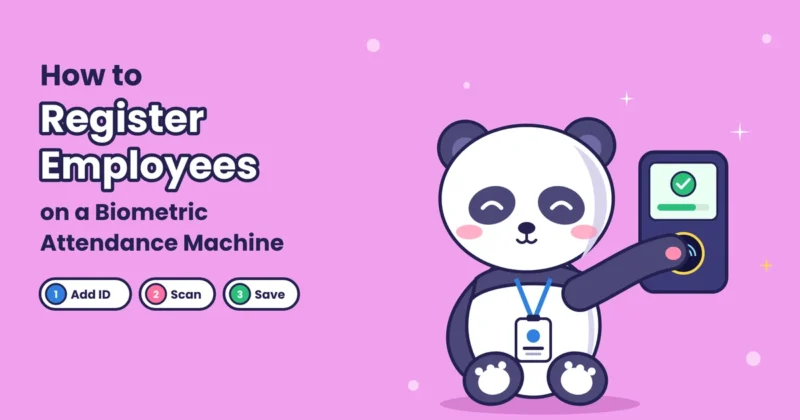
Step 1: Registering the employee
When an employee joins, HR registers them on the device. For fingerprint systems, the employee places the same finger on the sensor a few times. For face recognition, the camera captures their face from a few angles.
An important point many people don’t know: a good system doesn’t store a photo of the fingerprint or face. It picks out key features, such as the points where fingerprint ridges split or end, or the distances between the eyes, nose, and mouth. These features are turned into a code called a template. The template is what gets stored, linked to the employee’s ID.
Step 2: Scanning at check-in
Every time the employee arrives or leaves, they place their finger on the sensor or stand in front of the camera. The device captures a fresh scan and turns it into a new template in the same way.
Step 3: Matching the scan
The device compares the new template with the stored ones. If they match closely enough, the employee is identified. This usually takes less than a second.
Some systems search through all stored templates to find a match. Others ask the employee to enter an ID or show a card first and then compare with just that one template, which is faster for very large teams.
Modern devices also check that a real person is in front of them, not a photo, a video, or a fake fingerprint. This is called liveness detection.
Step 4: Recording the punch
Once the match is confirmed, the device records the employee ID, the date, the exact time and which device was used. The screen shows a message such as “Verified” or the employee’s name, and the punch is saved.
Step 5: Sending data to the software
The punch moves from the device to the attendance software. In cloud systems, this happens within seconds over the internet. If the internet is down, most devices store punches in their memory and send them as soon as the connection returns, so nothing is lost.
Step 6: Applying your rules
The software now does what HR used to do by hand. Based on the rules you’ve set, it works out:
- Whether the employee was on time, late, or left early.
- Whether the day counts as full, half day or absent.
- Total working hours and overtime.
- Whether the day was a holiday, weekly off or approved leave.
Step 7: Reports and payroll
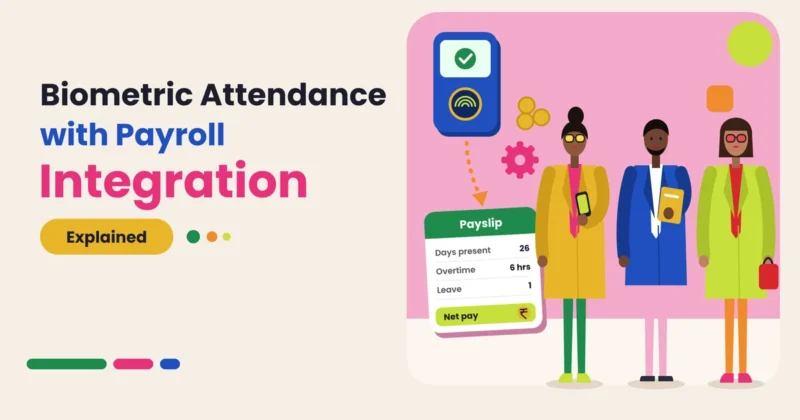
At the end of the day, week or month, the software creates reports showing attendance, late marks, absences and overtime for each employee and team. These figures can be exported straight into payroll, so salary is calculated from the same data everyone can see. Our payroll and working hours section explains how this connection works.
What Happens Inside the Machine
You don’t need technical knowledge to use a biometric system, but a little understanding helps when choosing one.
- Fingerprint sensors come in two main types. Optical sensors take a light-based image of the finger. Capacitive sensors read tiny electrical differences between ridges and valleys and are harder to fool with a printed copy.
- Face recognition cameras often use infrared light, which helps them work in low light and makes it harder to trick them with a photo.
- Matching isn’t an exact copy check. The device calculates how similar two templates are and accepts the match only if it’s above a set level. Set it too strict and genuine employees get rejected. Set it too loose and the wrong person might be accepted. Good devices balance this well, and most let you adjust it.
Before vs Now: Attendance Before and After Biometric Systems

| Area | Before (register or card) | Now (biometric system) |
|---|---|---|
| Proof of identity | Signature or card, easy to share | Fingerprint or face, unique to each person |
| Proxy attendance | Common and hard to catch | Very difficult |
| Time recorded | Written by hand, often rounded | Exact time captured automatically |
| Late marks and overtime | Counted manually | Calculated by software |
| Data collection | Registers collected and typed in | Punches sent to software automatically |
| Multiple branches | Each branch sends data at month end | All branches visible in one place |
| Payroll input | Re-typed, with errors | Exported directly from attendance data |
| Disputes | Hard to settle | Clear record with time and device |
| Time spent by HR | Days every month | A short review |
| Employee view | Little or none | Can check own records in an app |
Benefits of a Biometric Attendance System
1. Stops proxy attendance
A fingerprint or face can’t be lent to a colleague. This is the biggest reason businesses switch to biometric attendance. It ends the practice of one employee marking attendance for another, which is common with registers and cards.
2. Records exact time
The device captures the actual minute of arrival and exit. There’s no rounding, no writing from memory and no confusion over whether someone came at 9:05 or 9:25.
3. Saves HR time
Collecting registers, typing data, counting late marks, and checking overtime can take days every month. A biometric system with good software does this automatically, so HR only reviews exceptions and approves corrections.
4. Makes payroll accurate
When attendance data is correct, salary, deductions, and overtime are correct too. Fewer payroll mistakes mean fewer complaints and less time spent fixing salaries after they’re paid.
5. Treats everyone fairly
The same rules apply to every employee, every day. Nobody’s late mark depends on which supervisor was at the gate. This builds trust, especially in larger teams.
6. Handles shifts and branches easily
Rotating shifts, night duty and multiple locations are hard to manage on paper. A biometric system linked to cloud software handles all of them in one place, with shift rules applied automatically. Our attendance management guides cover how to set up shifts and rules.
7. Gives useful reports
You can quickly see who is often late, which team has the most absences, how overtime is changing, and which branch needs attention. This helps managers act early instead of guessing.
8. Keeps clear records
Labor laws require employers to keep attendance and wage records. A biometric system keeps a complete digital history that’s easy to search, print, and share when needed.
9. Encourages punctuality
When employees know their exact arrival time is recorded fairly, punctuality usually improves on its own, without constant reminders.
10. Low running cost
After the initial device cost, running a biometric system is inexpensive. Over time, the savings in HR effort, payroll accuracy and reduced proxy attendance usually outweigh what you spend.
Common Problems and How to Handle Them
No system is perfect. Knowing the common issues helps you avoid them.
- Worn or damaged fingerprints: People doing heavy manual work, construction or chemical handling may have fingerprints that don’t scan well. Use face recognition for them, or a device that supports a backup method.
- Queues at shift start: If many people arrive at the same time, one device can cause a line. Add more devices at busy entrances or use face recognition, which is quick.
- Dirty or wet fingers: Keep the sensor clean and place it where hands are usually dry. Face recognition avoids this problem completely.
- Power or internet cuts: Choose devices with offline storage and power backup, so punches are saved and sent later.
- Missed punches: People sometimes forget to punch out. Set up a simple correction request that the manager approves, with a record of the change.
- Initial cost: Devices cost money upfront. Start with one device at the main entrance and add more as needed.
Data Privacy and Employee Consent
Biometric data is personal data, and it needs careful handling. India’s Digital Personal Data Protection Act, 2023 sets rules for how businesses collect and use personal data. In simple terms, here’s what good practice looks like:
- Tell employees what data you’re collecting, why and how long you’ll keep it.
- Take their consent in writing or through a clear digital acceptance.
- Use it only for attendance. Don’t use biometric data for anything else.
- Keep it secure. Choose systems that store templates in encrypted form, not raw images, and limit who can access the data.
- Delete it when it’s no longer needed, such as after an employee leaves and your record-keeping period ends.
- Offer an alternative where possible, such as face instead of fingerprint, for employees who have a genuine problem with one method.
Who Should Use a Biometric Attendance System?

Biometric attendance works well for most businesses with a fixed workplace, especially:
- Offices with 10 or more employees.
- Factories and warehouses where shifts and overtime matter.
- Retail stores and chains with staff at many locations.
- Hospitals and clinics, often with face recognition for hygiene.
- Schools and colleges for teaching and non-teaching staff.
- Hotels and restaurants with rotating shifts.
For field sales teams or remote workers who don’t visit a fixed location, a mobile app with location and selfie check-in works better. Many businesses use both: biometric at the office and mobile check-in for people on the move.
How to Get the Most from Your Biometric System
- Place the device well: at eye or hand level, near the main entrance, away from direct sunlight and rain.
- Register employees carefully: take good-quality scans and register two fingers per person as a backup.
- Connect it to cloud software: so data reaches HR automatically and all branches are in one place.
- Set clear rules first: office timings, grace time, half day, overtime and leave rules should be ready before you go live.
- Explain the change to employees: tell them why you’re introducing it and how their data will be protected.
- Review reports regularly: a quick daily look at absences and missed punches keeps the data clean.
Final Thoughts
That one-second beep at the office door hides a smart process. A biometric system registers each employee once, recognises them in a moment, records the exact time and hands clean data to software that does the counting HR used to do by hand.
The benefits are practical and easy to see: no proxy attendance, exact working hours, fair rules for everyone, less manual work and payroll you can trust. The common problems, from worn fingerprints to missed punches, all have simple fixes. And with clear consent and good data security, employees can feel comfortable with the system too.
If your business still depends on a register or a card machine, a biometric system is one of the simplest upgrades you can make. Start with one device at the main door, set your rules clearly and let the data do the rest.
Set Up Biometric Attendance with Attendi
Attendi is an attendance management system built for Indian businesses that works with fingerprint and face recognition devices. Punches reach the cloud within seconds, and if the internet is down they’re saved and synced later. Shifts, late marks, half days, leave and overtime are calculated automatically, and every branch shows up in one dashboard. Employees can check their own attendance and request corrections from their phone, and HR gets clean monthly reports ready for payroll. If you’re planning to move to biometric attendance, explore Attendi and see how it fits your workplace.
Frequently Asked Questions
How does a biometric attendance system work?
Each employee is registered once by scanning their fingerprint or face. The system stores a coded template of key features. At every check-in, it scans the employee again, matches the new scan with the stored template, records the exact time and sends the data to attendance software.
Does a biometric machine store fingerprint images?
Good systems don’t store the actual image. They store a template, which is a code made from key features of the fingerprint or face. The original image can’t easily be rebuilt from it.
Which is better, fingerprint or face recognition attendance?
Fingerprint is affordable and widely used. Face recognition is contactless and works better for workers with worn fingerprints or in places where hygiene matters. Many businesses choose devices that support both.
Can biometric attendance work without internet?
Yes. Most devices store punches in their memory when the internet is down and send them to the software once the connection returns.
Can employees cheat a biometric attendance system?
It’s very difficult. Fingerprints and faces can’t be shared like cards, and modern devices use liveness detection to reject photos, videos and fake fingerprints.
Is biometric attendance legal in India?
Yes, businesses can use it. Since biometric data is personal data, you should inform employees, take their consent, use the data only for attendance and keep it secure.
What are the main benefits of biometric attendance?
It stops proxy attendance, records exact time, saves HR time, makes payroll accurate, applies rules fairly, handles shifts and branches and gives clear reports and records.